How to Connect AirPods to Mac Easily (My Experience)
The first time I tried to connect my AirPods to Mac, I honestly thought it would happen automatically. But when nothing connected, I felt confused and a little frustrated, especially because AirPods work so smoothly with iPhone.
If you’re here from Pinterest searching how to connect AirPods to Mac, I get that feeling. I’m sharing my real experience in simple words so you can connect your AirPods without stress or second-guessing.
Why I Needed to Connect AirPods to My Mac
I wanted to use my AirPods for video calls, editing work, and late-night movies without disturbing anyone. Wired headphones felt limiting, and I knew AirPods would be more comfortable.
Learning how to connect AirPods to Mac gave me freedom. Once they were connected, everything felt smoother, cleaner, and more personal.
What I Checked Before Connecting AirPods
Before trying anything, I made sure my Mac had Bluetooth turned on. This small step is easy to miss, and I learned that the hard way.
I also checked that my AirPods were charged and still paired with my Apple ID. These basics matter a lot when figuring out how to connect AirPods to Mac.
How I Connected AirPods to Mac Step by Step
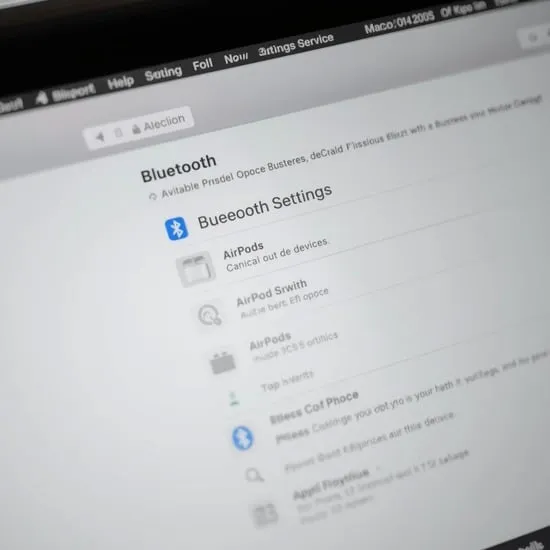
I opened the AirPods case, pressed and held the button on the back until the light started flashing. Then I went to Bluetooth settings on my Mac and selected my AirPods.
Within seconds, the sound switched to my AirPods. Seeing that connection finally happen felt relieving and honestly satisfying.


What I Did When AirPods Didn’t Connect Right Away
The first time, my AirPods didn’t connect instantly. I turned Bluetooth off and on again and closed the AirPods case for a few seconds.
After reopening everything, the connection worked perfectly. This taught me that learning how to connect AirPods to Mac sometimes just takes patience.
My Honest Advice for Connecting AirPods to Mac
If your AirPods don’t show up immediately, don’t panic. Check Bluetooth, charge level, and make sure they aren’t connected to another device.
Now that I know how to connect AirPods to Mac properly, I switch between devices confidently. I hope my experience helps you enjoy that same ease and comfort.