
Claude AI for Content Creation Workflow: Building Systems That Actually Work
Claude AI for Content Creation Workflow: Building Systems That Actually Work
I’ve been creating content professionally for over a decade, and the integration of AI into my workflow has been the most significant change in how I work since… well, since I stopped using a typewriter. That’s hyperbole—I never used a typewriter—but you get the point.
When I first started experimenting with Claude in my content workflow about eighteen months ago, I made every mistake possible. I tried to use it for everything, then for nothing, then bounced between extremes before finally settling into a rhythm that actually works.
What I want to share here isn’t theory about how AI could fit into content creation. It’s the actual workflow I use, the systems I’ve built, what works, what doesn’t, and what I’ve learned watching other content creators figure out their own approaches.
Because here’s the thing: there’s no single “right” workflow for integrating Claude into content creation. But there are patterns that work and patterns that don’t, and knowing the difference can save you months of frustration.
Why Workflow Matters More Than You Think
Before we get into the specifics, let me explain why I’m focusing on workflow rather than just “how to use Claude for content.”
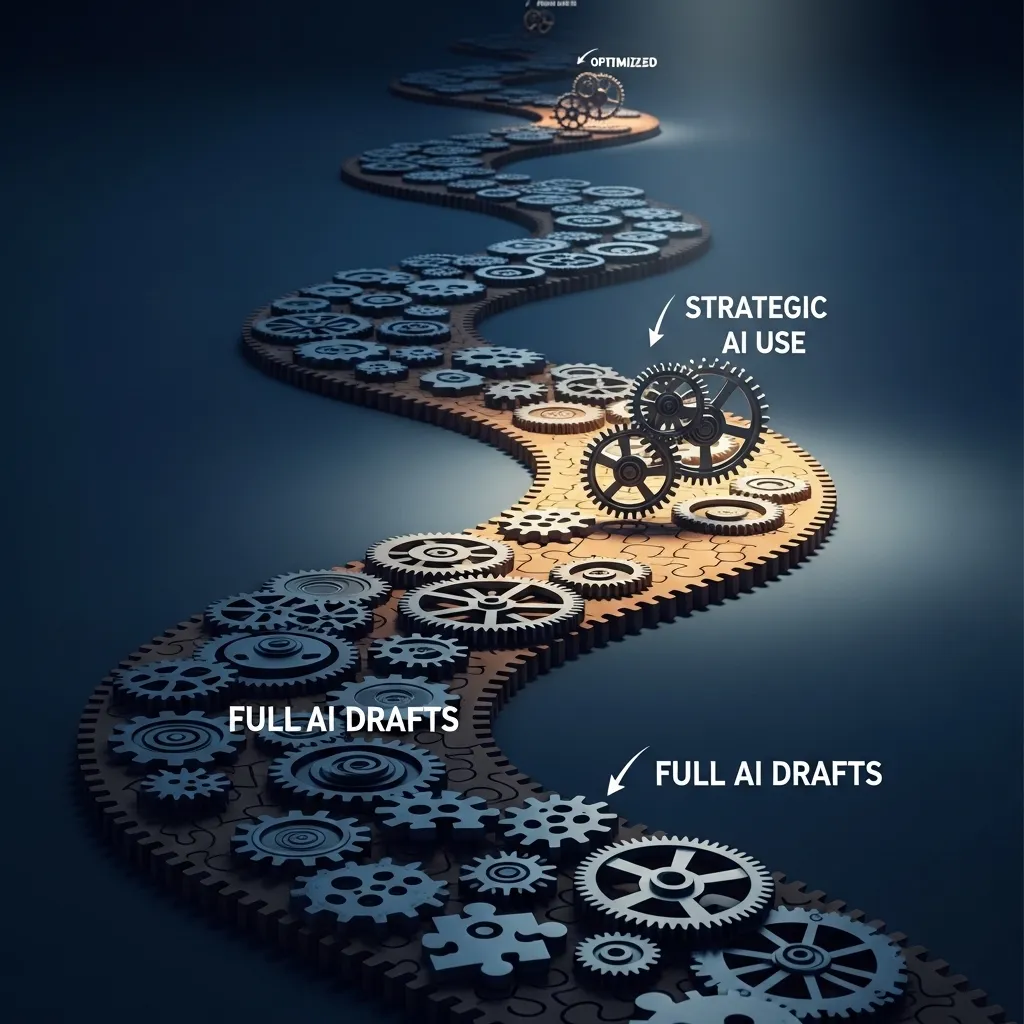
I know a content creator who uses Claude heavily and produces mediocre content. I know another who uses it sparingly and produces exceptional work. The difference isn’t the tool—it’s how it fits into their overall process.
The first person uses Claude as a content generator. They feed it topics, it produces drafts, they do light editing and publish. Fast, efficient, and completely forgettable.
The second person uses Claude strategically at specific points in their workflow: research assistance during planning, feedback during drafting, optimization during revision. Slower, more intensive, and consistently excellent.
The workflow determines whether AI assistance enhances your content or dilutes it.

My Current Content Creation Workflow (The Honest Version)
Let me walk you through how I actually use Claude in my day-to-day content work, because the specifics matter:
Phase 1: Planning and Research (Human-Led, AI-Assisted)
I start every content project the same way I did before AI existed: by thinking about the audience, the goal, and what would genuinely help someone.
For a recent project—a series of articles about sustainable business practices for small companies—I started with questions:
- What do small business owners actually struggle with around sustainability?
- What misconceptions do they have?
- What’s been covered to death, and what’s underexplored?
- What angle would make this worth someone’s time to read?
This thinking happens away from the computer, usually with coffee and a notebook. No AI involvement.
Once I have a general direction, I use Claude for research support:
“I’m planning content about sustainable practices for small businesses with 5-20 employees. They care about environmental impact but are constrained by budget and time. What are the main categories of sustainable practices that would be most relevant to this audience? What are common barriers they face?”
Claude gives me a structured overview. I treat this like consulting a knowledgeable colleague—it might suggest angles I hadn’t considered or help me organize my thinking.
But here’s the critical part: I verify everything. Claude might suggest that small businesses struggle with sustainable packaging costs. That sounds plausible, but I don’t just accept it. I research that claim, look for data, find real examples.
Time spent: 20-30% of total project time
Claude involvement: Maybe 15-20% of this phase
Value: Helps organize research direction, identifies knowledge gaps
Phase 2: Outlining and Structure (Collaborative)
Once I understand the territory, I outline. Sometimes I do this myself. Sometimes I brainstorm with Claude.
For that sustainability series, I had ideas for structure but wasn’t sure of the best organization. I asked Claude:
“I want to cover these aspects of sustainability for small businesses: waste reduction, energy efficiency, sustainable supply chains, employee engagement, and measuring impact. My audience is small business owners who are sustainability-curious but overwhelmed. How would you structure this as a series? What order makes sense for someone just starting?”
Claude suggested starting with quick wins (waste reduction, energy efficiency) before moving to more complex topics (supply chains, measurement). That made sense—build confidence with achievable actions before tackling harder stuff.
I modified that structure based on my understanding of the audience, but Claude’s suggestion was a useful starting point.
Time spent: 10-15% of total project time
Claude involvement: 30-40% of this phase
Value: Helps think through organization, identifies logical flow
Phase 3: First Draft (Mostly Human, Strategic AI Use)
This is where my workflow differs most from what I see other people doing.
I don’t use Claude to generate full first drafts. Ever.
Instead, I write the parts where voice and perspective matter most—introductions, conclusions, personal examples, opinions, distinctive insights. These are the parts that make content mine rather than generic.
For explanatory or informational sections, I’ll sometimes use Claude to generate a rough draft that I then heavily rewrite. For example, if I need to explain the basics of carbon footprint calculation, I might ask:
“Explain how small businesses can calculate their carbon footprint. Keep it practical and specific—what do they actually need to measure, what tools can they use, what’s a realistic level of precision for a company without a sustainability department. 300 words, straightforward tone.”
Claude generates an explanation. I read it, identify what’s useful, rewrite it in my voice, add specific examples, adjust the level of detail, and integrate it into the piece.
The result is maybe 20% Claude’s language, 80% mine, but Claude saved me the time of organizing basic information from scratch.
For sections requiring distinctive perspective, original insight, or personal voice, I write without AI assistance. Those are the sections that make content worth reading.
Time spent: 40-50% of total project time
Claude involvement: 20% of this phase, focused on explanatory/factual sections
Value: Handles routine explanation, frees me to focus on distinctive elements
Phase 4: Revision and Refinement (Heavy AI Assistance)
This is where Claude provides the most value in my workflow.
Once I have a complete draft, I use Claude systematically for improvement:
Clarity check: “Here’s a paragraph explaining [concept]. Would this be clear to someone unfamiliar with the topic? What terms might need more explanation?”
Flow analysis: “Here’s a section transition: [paste]. Does this flow naturally or feel abrupt?”
Argument strength: “I’m arguing that [position]. What are the weakest points in this argument? What objections might readers have?”
Alternative phrasing: “This sentence feels clunky: [paste]. Suggest three different ways to phrase this more clearly.”
I go through the draft systematically, using Claude as a feedback mechanism. This catches things I miss because I’m too close to the work.
For the sustainability series, Claude identified that I’d used “sustainability” 47 times in one article. I was too focused on concepts to notice the repetition. I revised for variety.
It also pointed out that I’d explained carbon offsetting without addressing the controversy around whether it’s genuinely effective—a significant omission that would have undermined credibility.
Time spent: 20-25% of total project time
Claude involvement: 60-70% of this phase
Value: Catches oversights, identifies weaknesses, suggests improvements
Phase 5: Optimization and Finalization (AI-Assisted)
In the final phase, I use Claude for:
SEO optimization: “This article targets the keyword ‘sustainable business practices for small companies.’ Is the keyword used naturally enough to rank well without sounding forced? Suggest any opportunities to include it more naturally.”
Meta descriptions: “Write three meta description options for this article, max 155 characters, compelling and accurate.”
Headline alternatives: “Suggest five alternative headlines for this piece. The current headline is [X]. Make them engaging but not clickbait.”
Social media angles: “Based on this article, what are three different angles for social media posts that would appeal to different reader interests?”
This optimization work is tedious and Claude handles it well. I pick the suggestions that work best, often combining elements from multiple options.
Time spent: 5-10% of total project time
Claude involvement: 70-80% of this phase
Value: Handles optimization efficiently, generates options for testing
The Non-Linear Reality
That workflow sounds neat and linear, but real content creation rarely works that way.
In practice, I bounce between phases. While drafting, I realize I need more research. During revision, I discover my structure doesn’t work and reorganize. While outlining, I get ideas for specific phrasing and jot them down.
Claude fits into this non-linear process as a constant available resource. When I hit a snag—unclear explanation, weak transition, uncertain structure—I can consult Claude immediately rather than getting stuck.
This flexibility is actually one of the biggest workflow improvements. Instead of “I’ll figure that out later” (which often means wrestling with it for an hour during revision), I can resolve issues immediately and keep momentum.

Different Content Types, Different Workflows
The workflow I described works for long-form articles. Other content types need different approaches:
Blog Posts (800-1500 words)
For shorter blog content, my workflow compresses:
- Quick planning (15 minutes, minimal AI)
- Outline with Claude’s help (10 minutes)
- Draft the introduction and conclusion myself (30 minutes)
- Use Claude for middle sections with heavy editing (45 minutes)
- Revision with Claude feedback (30 minutes)
- Optimization (15 minutes)
Total time: About 2.5 hours for a solid 1,200-word post. Before AI integration, similar quality took 4-5 hours.
Social Media Content
For social media, I batch create:
- Generate 5-10 post concepts based on recent articles or observations
- Use Claude to draft multiple variations of each concept
- Select the strongest, edit for voice and platform
- Schedule and track performance
- Use performance data to refine future prompts
This lets me create a week’s worth of quality social content in about an hour, versus 3-4 hours doing everything manually.
Email Newsletters
Newsletter workflow:
- Identify the core idea or story (always human, always personal)
- Draft the main narrative myself
- Use Claude for section transitions or to vary structure
- Claude generates subject line options (I test multiple)
- Final read-through and voice adjustment
Newsletters are where I use AI least because voice and personal connection are everything. Claude’s help is minimal—maybe 15% of the work.
Long-Form Guides (3,000+ words)
For comprehensive guides:
- Extensive planning and research (mostly human)
- Detailed outline with Claude’s structural input
- Section-by-section drafting with strategic AI use
- Multiple revision passes with different Claude focuses (clarity, completeness, flow)
- Significant fact-checking and verification
- Heavy optimization
These might take 15-20 hours total. Claude probably saves 5-7 hours of that versus working entirely manually, but the quality control time increases because there’s more to verify.
Building Your Own Workflow: What Actually Matters
If you’re trying to integrate Claude into your content workflow, here’s what I’ve learned matters most:
1. Define Your Quality Standards First
Before integrating AI, be clear about what makes your content good. What’s your voice? What level of depth do you aim for? What makes your perspective distinctive?
These standards guide every decision about when and how to use AI. If comprehensive research is your standard, you can’t let Claude’s surface-level knowledge replace deep research. If distinctive voice is your standard, you can’t publish AI-generated drafts with light editing.
Your workflow should ensure AI assistance helps you meet your standards, not lower them.
2. Identify Your Bottlenecks
Where do you get stuck in content creation? Where do you spend time that doesn’t add proportional value?
I get stuck on organization and structure. I’m good at generating ideas and crafting language, but I can stare at an outline for an hour trying to find the right order. Claude helps there.
Another writer I know is great at structure but struggles with explanatory clarity. She uses AI heavily for drafting explanations, then refines them.
A third writer has strong ideas but gets bogged down in finding the right phrasing. He uses Claude for language variations and alternative phrasings.
Integrate AI where it removes bottlenecks, not where it replaces your strengths.
3. Maintain Human Control at Decision Points
Every piece of content involves decisions: What angle to take? What to include? How to structure it? What tone to use? What examples work best?
These decisions should be yours. Claude can inform them, suggest options, or provide input, but you need to make the call.
I use Claude to generate options, not to make decisions. It might suggest five different structures for an article. I choose which works best based on my understanding of the audience and purpose.
This keeps you in the driver’s seat creatively and strategically.
4. Build Verification Into Your Workflow
Claude makes mistakes. It generates plausible-sounding facts that are wrong. It sometimes misunderstands context or nuance.
Your workflow needs systematic verification:
- Fact-check any statistics, dates, or claims
- Verify quotes and attributions
- Check that technical explanations are accurate
- Test that recommendations actually work
- Ensure examples are genuine and relevant
I have a dedicated verification phase after drafting where I check everything that could be wrong. This prevents embarrassing errors from making it to publication.
5. Iterate on Your Workflow
Your first workflow won’t be your best. Mine has evolved significantly over eighteen months.
I started using Claude for full drafts, then pulled back to strategic use. I experimented with AI for research before realizing it was less helpful than traditional research for my purposes. I discovered Claude was invaluable for revision but less useful for initial ideation.
Pay attention to what’s working and what isn’t. Adjust accordingly.
Tools and Systems That Support the Workflow
Claude doesn’t exist in isolation. Here are other tools and systems that make my AI-integrated workflow function:
Content calendar (Notion): Where planning happens. I outline projects, track deadlines, and document strategic direction before touching AI tools.
Research database (Airtable): Where verified information lives. Anything Claude suggests that I verify gets stored here with sources.
Writing environment (Google Docs): Where drafting happens. I keep Claude open in a separate browser window for easy consultation.
Version control: I save versions at each phase (outline, first draft, revision 1, revision 2, final). This lets me track how much AI content remains in the final piece and ensures I can revert if needed.
Performance tracking (Analytics + spreadsheet): I track how content with different levels of AI involvement performs. This data guides workflow decisions.
Prompt library (Notion): Effective prompts I’ve developed, organized by content type and purpose. This saves time and ensures consistency.
These systems ensure the AI assistance fits into a larger, controlled process rather than happening ad hoc.
What I’ve Learned About Efficiency vs. Quality
Early on, I fell into the trap of optimizing for speed. Claude could help me create content 3x faster. Great, right?
Except the content was noticeably less distinctive. It performed okay but not great. It didn’t build my reputation or lead to opportunities the way my best work did.
I had to recalibrate. The goal isn’t maximum speed—it’s maximum value per hour invested.
Sometimes that means using Claude heavily for routine content while spending more time on flagship pieces. Sometimes it means using AI minimally but strategically to remove specific bottlenecks.
My current workflow is maybe 50% faster than my pre-AI workflow, not 3x faster. But the quality is comparable to my best pre-AI work, and I’m not burning out trying to maintain output.
That’s the balance worth finding.

Common Workflow Mistakes I See (And Made)
Mistake 1: Using AI for the wrong parts of the process
I see people using Claude to generate ideas (where human creativity and understanding of audience is most valuable) while writing conclusions manually (where AI assistance could save time without sacrificing much).
Think about where AI adds most value with least compromise.
Mistake 2: No quality control system
Assuming Claude’s output is accurate and good enough. It’s usually not. You need systematic review and improvement.
Mistake 3: Inconsistent workflow
Using AI randomly when you think of it, rather than building it into a consistent process. This creates uneven quality and makes it hard to improve.
Mistake 4: Over-reliance during creative phases
Using Claude for brainstorming and ideation when that’s where your unique perspective adds most value. AI should support your creativity, not replace it.
Mistake 5: Skipping verification
Publishing AI-generated content without checking facts, testing recommendations, or verifying claims. This destroys credibility fast.
Mistake 6: Losing your voice
Letting too much AI-generated language make it to the final piece. If it doesn’t sound like you, your audience will notice.

Team Workflows: When It’s Not Just You
I work with several content teams, and integrating AI into collaborative workflows adds complexity.
What works:
Clear guidelines: Document when AI use is appropriate, what requires human judgment, and what verification is needed.
Role clarity: In teams I work with, strategists and subject matter experts lead planning (minimal AI). Writers use AI for drafting support. Editors verify and refine. Everyone knows their role.
Prompt sharing: The team shares effective prompts so everyone benefits from what works.
Quality benchmarks: Regular review of content quality ensures AI integration isn’t degrading output.
Transparency: Team members disclose AI use so editors know what needs extra verification.
What doesn’t work:
Inconsistent standards: Some people using AI heavily, others not at all, with no coordination. Creates uneven quality.
No ownership: Everyone assuming someone else verified AI-generated content. Leads to errors slipping through.
Black box usage: People using AI without documenting how, making it impossible to learn what works or troubleshoot problems.
The Ethics of AI in Content Workflows
This matters more than workflow efficiency.
Disclosure: I don’t think you need to disclose AI assistance for every piece of content, but you should disclose if:
- Your outlet or client requires it
- The AI played a major role in research or writing
- You’re in a field where methodology matters (journalism, academic writing)
- There’s reasonable expectation of purely human creation
Originality: Using AI doesn’t excuse plagiarism or copying. If Claude generates something similar to existing content, that’s your responsibility to catch and fix.
Accuracy: You’re responsible for everything you publish, regardless of whether AI helped create it. Verify, verify, verify.
Attribution: If Claude helps you articulate a framework or idea you wouldn’t have developed yourself, consider that collaborative and think about appropriate attribution.
Value: Don’t publish content that’s just AI output with light editing. If you’re not adding significant value beyond what AI generates, question whether that content should exist.

Measuring Workflow Success
How do you know if your AI-integrated workflow is actually working? I track several metrics:
Efficiency: Time per piece of comparable quality. Has this improved?
Quality: Engagement metrics, feedback, editor acceptance rates. Has quality held steady or improved?
Consistency: Can I maintain output without quality degradation? Can I replicate good results?
Sustainability: Can I maintain this pace without burnout? Am I enjoying the work?
Growth: Am I still developing skills and voice, or am I stagnating because AI does too much?
If efficiency improves but quality drops, the workflow needs adjustment. If I’m faster but burning out, something’s wrong. If I’m relying on AI more over time rather than less, I’m probably not learning what I should.
My Workflow Will Keep Evolving
One thing I’m certain of: this workflow won’t be my workflow in six months.
AI tools improve. My skills develop. Content requirements change. What works now won’t necessarily work later.
The key is staying thoughtful about integration rather than falling into autopilot. Regularly asking: Is this working? What could work better? Where is AI helping and where is it getting in the way?

Practical Starting Points
If you’re building your own AI-integrated content workflow:
Start small. Pick one content type or one phase of your process. Experiment with AI integration there before expanding.
Document everything. Keep notes on what prompts work, what doesn’t, how long things take, what quality results.
Compare deliberately. Create some content with AI assistance, some without. Compare quality, time, and results.
Focus on your weaknesses. Use AI where you struggle, not where you’re already strong.
Maintain quality standards. Don’t let efficiency gains come at the expense of quality.
Build verification in. Make fact-checking and quality control part of the workflow, not an afterthought.
Iterate based on results. What performs well? What gets good feedback? Let that guide your workflow development.
The Honest Bottom Line
AI has changed my content creation workflow significantly. I’m more efficient, I can maintain higher output without burning out, and I have support for the parts of content creation I find tedious.
But I’m not creating fundamentally different or better content than before. I’m creating similar quality content more efficiently, with more capacity to spend time on the elements that really matter—insight, perspective, voice, and value.
That’s valuable. But it’s not magic.
The workflow matters because it determines whether AI assistance amplifies your capabilities or replaces them. Built thoughtfully, it’s a genuine asset. Built carelessly, it’s a path to generic, forgettable content.
Your workflow will be different from mine. You work on different content, for different audiences, with different strengths and weaknesses.
But the principles are the same: use AI strategically, maintain quality control, keep human judgment at decision points, verify everything, and optimize for value rather than just speed.
That’s what works. The specifics are for you to figure out based on your work, your standards, and your goals.
Start experimenting. Pay attention to what works. Build systems around what’s effective. Stay honest about quality.
The rest will develop with practice.






