
AI Writing Tools for Blogging: What Actually Works in 2026
AI Writing Tools for Blogging: What Actually Works in 2026
I’ve been blogging professionally since 2014, and I’ll tell you something that might sound contradictory: AI writing tools have made me a better blogger, but not in the way most people think. They haven’t replaced my writing. They’ve eliminated the parts of blogging that drained my energy without adding value, letting me focus on the parts that actually matter—the thinking, the perspective, the connection with readers.
But here’s what took me two years and probably a thousand blog posts to figure out: using AI tools for blogging is completely different from using them for other types of writing. The stakes are different, the goals are different, and the approach needs to be different.
I’ve tested pretty much every AI writing tool marketed to bloggers. Some have become essential parts of my workflow. Others promised to “revolutionize blogging” and delivered nothing but generic content that hurt more than it helped. What I want to share here is what I’ve learned actually works when you’re trying to build an audience, establish authority, and create content that people want to read.
Why Blogging Is Different (And Why That Matters for AI Tools)
Before we dive into specific tools, let me explain why you can’t just use any AI writing tool for blogging and expect good results.
Blogging isn’t like writing product descriptions or email copy. Those can be formulaic, template-driven, and still work fine. Blogging requires something different: a distinctive voice, genuine insight, and the ability to connect with readers who have infinite other options competing for their attention.
I learned this the hard way. Early in my AI experimentation, I used an AI tool to generate complete blog posts with minimal input. I published five of them in a week. They were coherent, grammatically correct, and optimized for SEO.
They got almost no engagement. No comments, minimal shares, higher-than-average bounce rates. Readers could tell something was off—the posts had that distinctive “AI voice” that sounds knowledgeable but generic, informative but not insightful.
Then I shifted my approach entirely. I started using AI tools strategically for specific parts of the blogging process while keeping the essential elements—perspective, voice, original thinking—firmly in my hands.
Engagement improved immediately. Not because the AI got better, but because I figured out where it helped and where it hindered.

The Best AI Writing Tools for Bloggers (Based on Real Use)
Let me walk through the AI writing tools I actually use for blogging, what they’re good for, and what they’re terrible at:
Claude (Anthropic)
I use Claude more than any other AI tool for my blog writing, but probably not how you’d expect.
What I use it for:
Research and understanding. When I’m writing about a topic where I need to understand context quickly, Claude helps me get up to speed. I’m not using it to generate content—I’m using it as a research assistant to explain concepts, suggest angles I might not have considered, or help me understand technical topics I’ll be explaining to readers.
For a recent post about sustainable web design, I asked Claude to explain the environmental impact of different website optimization techniques. It gave me a framework I then researched properly, verified with actual sources, and turned into my own analysis.
Structure and organization. I’ll often dump my rough thoughts about a blog post into Claude and ask it to suggest organizational approaches. Not to write the post, but to help me think through how to structure my ideas most effectively.
Feedback on drafts. After writing a section, I’ll paste it into Claude and ask specific questions: “Does this explanation make sense to someone unfamiliar with the topic?” or “What questions might readers have after reading this paragraph?” This catches gaps in my explanation before readers encounter them.
What I don’t use it for:
I don’t use Claude to write complete blog posts. I’ve tried. The results are competent but lack the distinctive voice and specific examples that make blog content worth reading. It also tends toward the general when blogging rewards the specific.
The workflow: Claude is open in a browser tab while I write. I consult it like I’d consult a knowledgeable colleague—asking questions, getting feedback, exploring ideas—but the actual writing is mine.
Cost: Free tier is useful. Claude Pro ($20/month as of 2026) is worth it for heavy users.
Best for: Bloggers who write in-depth content requiring research and want AI assistance without losing their voice.
Jasper (Formerly Jarvis)
Jasper markets itself specifically to content creators and bloggers, and it’s built for that purpose—for better and worse.
What it does well:
Jasper has templates for common blog formats (how-to posts, listicles, comparison posts) that can generate outlines or first drafts quickly. If you’re running a content site publishing 20 posts weekly across predictable formats, Jasper streamlines that production.
The “Boss Mode” feature lets you give commands and generate content in sections, which gives you more control than full-post generation.
Where it falls short for serious bloggers:
Here’s my honest take: Jasper-generated content sounds like Jasper-generated content. If you’ve read AI-assisted blog content, you start recognizing the patterns—certain phrases, particular structures, a specific rhythm that shows up across different blogs using the same tool.
For blogs competing on expertise and distinctive perspective, this is a problem. You’re blending into the background noise instead of standing out.
Who it’s actually for:
Jasper makes sense for content operations where volume matters more than distinctive voice—affiliate sites, large content marketing teams, agencies managing multiple clients. For individual bloggers building personal brands or thought leadership? The cost ($49-125/month depending on plan) rarely justifies the results.
My use: I tested Jasper for three months. It sped up production but degraded quality in ways that hurt engagement. I cancelled my subscription and haven’t missed it.
Writesonic
Writesonic positions itself as a more affordable alternative to Jasper with similar features.
Honest assessment for bloggers:
Writesonic can generate blog post outlines, introductions, and full drafts quickly. The quality is… fine. Not terrible, not great. Exactly what you’d expect from AI generating content with minimal guidance.
I’ve used Writesonic’s article writer for lower-priority blog content—updating old posts, creating content for less important keywords, building out category pages that needed something but where “something good enough” was acceptable.
The reality: If you publish Writesonic’s output with minimal editing, your blog will be indistinguishable from thousands of other blogs doing the same thing. If you use it as a starting point and rewrite substantially, you might question whether it saved any time.
Pricing makes it worth testing: Free tier lets you try it. Premium plans start around $16/month, much cheaper than Jasper. If you need to produce volume on a budget and you’re willing to edit heavily, it’s worth testing.
Best for: High-volume content operations, supplemental content where distinctive quality isn’t critical, bloggers testing AI tools without major investment.
Frase
Frase takes a different approach that actually aligns better with how blogging works.
What makes it different:
Frase combines AI writing with SEO research and content optimization. Instead of just generating content, it analyzes what’s already ranking for your target keywords and helps you create content that competes.
My workflow with Frase:
When I’m writing a blog post targeting a competitive keyword, I use Frase’s research features to understand what topics the top-ranking content covers. Then I write my post, ensuring I cover those topics (because Google clearly considers them relevant) while adding my own perspective, examples, and insights that differentiate my content.
Frase also has an AI writing feature, but I use it minimally—mostly for generating alternative introductions or expanding on specific points. The real value is the research and optimization guidance.
Practical example:
For a post about “content marketing strategy,” Frase showed me that top-ranking posts all covered specific topics: content audits, distribution channels, metrics, and content calendar planning. My draft covered strategy but had missed content audits entirely. Adding that section (in my own words, with my own framework) helped the post rank much better.
Cost: $15-115/month depending on plan and usage.
Best for: SEO-conscious bloggers, content marketers, anyone writing for competitive keywords where ranking matters.
ChatGPT
ChatGPT is probably the AI tool most bloggers have tried, and I use it regularly—but very specifically.
What I use ChatGPT for in blogging:
Headline variations. I’ll write 3-4 headline options myself, then ask ChatGPT to generate 10 more variations. I rarely use any of ChatGPT’s suggestions directly, but they spark ideas for headlines I wouldn’t have considered.
Meta descriptions. ChatGPT writes decent meta descriptions quickly. I provide the article summary, specify length (155 characters max), and get several options. Pick the best, maybe edit slightly, done.
Social media posts. After publishing a post, I ask ChatGPT to create social media posts promoting it from different angles. These need editing to match my voice, but it’s faster than starting from scratch.
Brainstorming angles. When I’m stuck on how to approach a topic, ChatGPT helps me explore different angles. “What are 10 different ways to approach a blog post about email marketing?” generates options I can evaluate.
What I don’t use it for:
Writing complete blog posts. I’ve tested this extensively. The results are always generic, lack specific examples, and miss the nuance that makes blog content valuable.
The web browsing limitation: Even ChatGPT Plus can browse the web, but its blog writing still tends toward generic advice rather than specific, current insights. It’s useful for process, not for distinctive content.
Cost: Free tier works for basic use. ChatGPT Plus ($20/month) is worth it if you use it across multiple purposes beyond blogging.
Best for: Bloggers who want versatile AI assistance across multiple tasks.
Copy.ai
Copy.ai focuses on marketing copy, which includes blog content.
For bloggers specifically:
Copy.ai has blog post templates, intro generators, outline creators, and expansion tools. The quality is similar to Writesonic—decent first drafts that need substantial revision to be good.
Where I’ve found it useful:
Generating multiple versions of the same content quickly. If I need to explain a concept in three different blog posts without repeating myself identically, Copy.ai helps create variations. Not perfect, but useful for iteration.
The honest limitation:
Like most AI tools, Copy.ai’s blog writing feels generic without heavy editing. It’s a time-saver only if you’re already a good editor who can quickly transform generic into distinctive.
Cost: Free tier available. Pro plan around $49/month.
Best for: Bloggers creating variations of similar content, marketers running multiple blogs, experimenting with AI writing on a budget (free tier).
Grammarly
Grammarly isn’t primarily an AI writing tool, but its AI features have expanded significantly and matter for bloggers.
Why it’s on this list:
Grammarly now includes AI writing assistance beyond grammar checking—tone detection, clarity improvements, conciseness suggestions, and even content generation features.
How I actually use it:
Grammarly is always running while I write blog posts. It catches obvious errors, suggests clarity improvements, and flags sentences that are too long or complex.
The tone detector helps ensure my writing matches my intent—if I’m going for conversational but it’s reading as formal, I revise.
The AI writing features: Grammarly can now generate text, rewrite sentences, and adjust tone automatically. I use the sentence rewriting occasionally when something feels clunky. I rarely use the generation features for blog writing.
The value for bloggers: Not revolutionary, but reliably useful. It’s quality control baked into your writing process.
Cost: Free version is useful. Premium ($12/month with student pricing, higher otherwise) adds AI features and advanced suggestions.
Best for: Every blogger. It’s baseline quality control.
Surfer SEO
Surfer SEO isn’t purely an AI writing tool—it’s an SEO platform with AI writing features.
Why bloggers should care:
If you’re blogging for organic traffic, Surfer helps you understand what Google rewards for specific keywords and guides your writing accordingly.
The AI writing component:
Surfer can generate content optimized for your target keywords. More importantly, it provides real-time feedback as you write—are you covering relevant topics? Using keywords naturally? Hitting appropriate word count? Including related terms?
My workflow:
I don’t use Surfer’s AI to write posts. I write in my own voice and use Surfer’s analysis to ensure I’m not missing important topics or signals that affect ranking.
This is hugely valuable for competitive keywords where ranking means traffic and traffic means revenue.
Real result:
A blog post I wrote about “remote work productivity” wasn’t ranking despite decent content. Surfer’s analysis showed I’d completely missed discussing specific tools and techniques that every top-ranking post covered. I added those sections (with my own recommendations and perspectives), and the post moved from page 3 to the top 10 within a month.
Cost: $69-229/month depending on plan. Expensive, but justified if SEO matters for your blog’s business model.
Best for: Professional bloggers depending on SEO traffic, content marketers, anyone writing for competitive keywords.
How I Actually Use AI in My Blogging Workflow
Let me walk you through my real process for creating a blog post using AI tools, because the specifics matter:
Phase 1: Topic and Angle (Minimal AI, Mostly Human)
I choose topics based on audience needs, keyword research, and my expertise. This is human-driven strategic thinking.
Sometimes I’ll use ChatGPT to brainstorm angles: “What are different perspectives on [topic]?” But the decision of what to write and what angle to take is mine, based on understanding my audience.
Time: 30-60 minutes
AI involvement: Maybe 10%
Phase 2: Research (AI-Assisted)
If I’m writing about something requiring background understanding, I use Claude to explain concepts or frameworks quickly. If SEO matters, I use Frase or Surfer to analyze what’s ranking.
But I verify everything. Claude might explain a concept, but I check that explanation against authoritative sources. AI research is a starting point, never the endpoint.
Time: 1-3 hours depending on topic complexity
AI involvement: 20-30% for getting oriented, human research for verification
Phase 3: Outline (Collaborative)
I sketch my initial thoughts on structure. Sometimes I ask Claude or ChatGPT to suggest alternative organizations. I pick the approach that best serves my content and audience.
If using Frase or Surfer, I check what topics ranking content covers and ensure my outline includes relevant points.
Time: 20-40 minutes
AI involvement: 30-40%
Phase 4: Writing (Mostly Human, Strategic AI)
This is where my approach differs most from people who struggle with AI writing tools.
I write all the sections where voice and perspective matter most:
- Introduction (always me—this sets tone and hooks readers)
- Personal examples and stories
- Original analysis and insights
- Opinions and perspectives
- Conclusions
I sometimes use AI for:
- Explanatory sections on basic concepts
- Initial drafts of background information (which I then rewrite in my voice)
- Expanding on points where I know what I want to say but it’s coming out clunkily
Example: If I’m writing about email marketing and need to explain what an autoresponder is (basic definition), I might ask Claude for an explanation, then rewrite it to match my blog’s voice and integrate it smoothly.
For sections explaining my specific framework for email strategy? That’s entirely me. AI can’t create what doesn’t exist in its training data.
Time: 3-6 hours for a typical 2,000-word post
AI involvement: Maybe 15% of the actual writing, mostly for routine explanation
Phase 5: Revision (Heavy AI Assistance)
This is where AI tools provide huge value.
I run the complete draft through Grammarly for technical cleanup. I paste sections into Claude and ask for feedback: “What’s unclear here?” “What questions might readers have?” “Does this flow logically?”
If it’s an SEO post, I check it in Surfer or Frase to ensure I haven’t missed critical topics.
I use ChatGPT to generate headline alternatives, then pick the best (often combining elements from multiple options).
Time: 1-2 hours
AI involvement: 50-60%
Phase 6: Optimization and Publishing (AI-Assisted)
Meta description from ChatGPT, edited for accuracy and voice. Social media promotion posts from ChatGPT, edited to match my brand. Featured image sometimes created with AI image generators (though I’m moving toward custom graphics).
Time: 30-45 minutes
AI involvement: 60-70%
Total time per post: 6-12 hours depending on complexity
Total AI contribution to final published content: Maybe 10-15% of the actual words, 30% of the process time
The AI hasn’t replaced my writing. It’s eliminated friction in the workflow and freed me to focus on the parts where human expertise actually matters.

What Actually Drives Results: AI vs. Human Elements
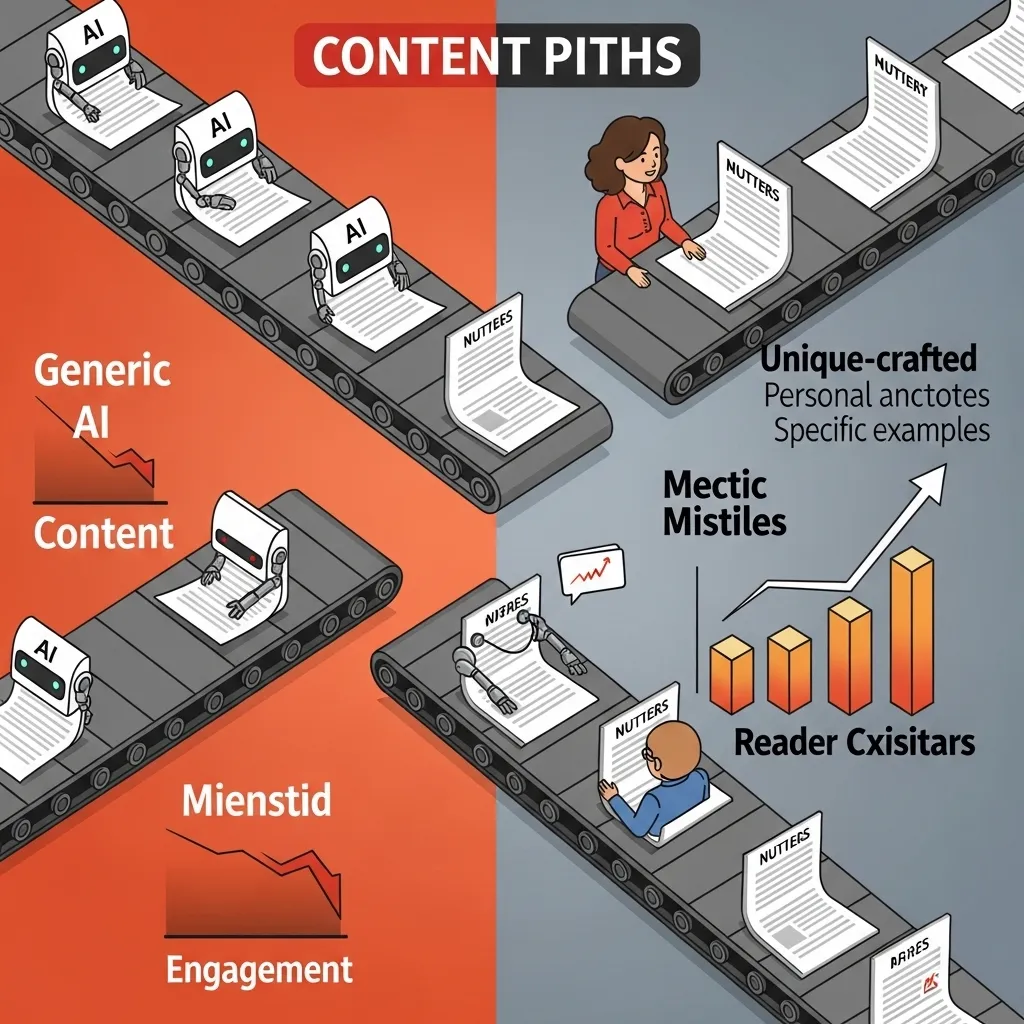
I track metrics for every blog post: traffic, time on page, bounce rate, shares, comments, conversions. After two years of using AI tools, I can tell you definitively what correlates with strong performance:
What drives engagement and results:
- Specific, concrete examples (always human)
- Original insights and perspectives (always human)
- Personal stories and experiences (always human)
- Distinctive voice (always human)
- Content that’s genuinely helpful (mostly human, AI can assist with completeness)
What AI helps with but doesn’t drive results:
- Technical quality (grammar, clarity)
- Completeness (ensuring you covered all relevant topics)
- Efficiency (getting to publication faster)
- SEO optimization (using keywords naturally)
What correlates with poor performance:
- Generic advice anyone could find elsewhere (often AI-heavy)
- Lack of specific examples (AI tends toward the general)
- Missing voice and personality (often from relying too heavily on AI generation)
- Content that doesn’t reflect actual expertise (AI can’t replicate what you’ve learned through experience)
The blog posts that perform best for me have minimal AI-generated content but significant AI assistance in the process. The distinction matters.
Common Mistakes Bloggers Make with AI Writing Tools
I’ve made these mistakes myself and watched countless other bloggers make them:
Mistake 1: Publishing AI-Generated Posts Without Substantial Revision
The temptation is real—generate a post in 10 minutes, do light editing, publish. This produces content that’s technically fine but utterly forgettable.
Readers have infinite options. Generic content doesn’t build audiences or authority.
Mistake 2: Using AI for Topics Where Personal Expertise Is the Value
If your blog’s value is your specific expertise, AI-generated content on those topics undermines everything. You can’t outsource your differentiation.
I blog about content strategy. I could use AI to write posts about content strategy tactics, but why would readers trust AI-generated content about my area of expertise? They’re here for my perspective, not generic advice.
Mistake 3: Letting AI Flatten Your Voice
Every blogger develops a distinctive voice—how you explain things, what analogies you use, your rhythm and tone. Heavy AI use homogenizes this.
I can spot AI-heavy blog content now. It has a particular cadence, certain phrases, a specific way of structuring sentences. When every blog sounds the same, none stand out.
Mistake 4: Not Verifying AI-Generated Information
AI confidently generates incorrect information. I’ve caught AI tools stating wrong statistics, misattributing quotes, and making up case studies that sound plausible but never happened.
Publishing inaccurate information destroys credibility faster than anything else.
Mistake 5: Optimizing for Speed Over Quality
AI tools let you publish 10 blog posts in the time it used to take to write one. But 10 mediocre posts don’t build your blog better than one excellent post.
Google’s algorithms have gotten better at identifying and de-prioritizing generic content. The short-term traffic boost from volume often leads to long-term ranking decline.
Mistake 6: Using AI as a Crutch Instead of a Tool
I’ve watched bloggers become worse writers because they stopped practicing. They outsource so much to AI that they don’t develop the skills that make great bloggers.
AI should make you better at what you do, not replace you doing it.
The SEO Reality: How AI Content Performs in Search
This is crucial for bloggers depending on organic traffic.
Google’s stance (as of 2026): They’ve been clear that they don’t penalize AI-generated content per se. They penalize low-quality content, regardless of how it’s created.
The practical reality I’ve observed:
Heavily AI-generated content initially ranks okay, then declines. I’ve tracked this across my own experiments and other blogs. Posts that are mostly AI-generated might rank initially, then drop as Google’s algorithms identify them as generic and users signal low engagement.
AI-assisted content that’s substantially human performs well. Posts where I use AI for process but do the actual thinking and writing rank as well as my pre-AI content, sometimes better because the optimization is more thorough.
Distinctive, helpful content outperforms optimized generic content. I’ve had posts with less-than-perfect SEO optimization outrank posts with perfect SEO because they provided genuine value and got engagement.
The key metric: Time on page and user engagement matter more than keyword optimization. AI can help with the latter but often hurts the former if you rely on it too heavily.
My ranking results:
Posts with 10-20% AI-generated content (heavily edited): Rank similarly to pre-AI content
Posts with 50%+ AI-generated content: Initial ranking, then decline over 3-6 months
Posts with AI assistance but minimal AI-generated content: Best performance—better optimization without losing quality

The Economics: Is AI Writing Worth It for Bloggers?
Let’s talk money, because that’s ultimately what matters for professional bloggers.
Time savings: AI tools save me maybe 2-3 hours per blog post. At 8 posts monthly, that’s 24 hours saved. If my time is worth $50/hour, that’s $1,200 monthly in time value.
Cost: My AI tool subscriptions for blogging total about $60/month (Claude Pro, ChatGPT Plus, Grammarly Premium).
Return calculation: $1,200 in time value for $60 in costs = solid ROI.
But: This only works because I use AI strategically to save time while maintaining quality. If AI use degraded my content quality, the traffic and revenue decline would far outweigh time savings.
For different blogger types:
Hobbyist bloggers: Free tiers of AI tools are sufficient. ChatGPT free, Claude free, Grammarly free. Maybe $0-15/month.
Part-time bloggers monetizing: ChatGPT Plus or Claude Pro ($20/month) plus Grammarly Premium ($12/month). Maybe $30-40/month total.
Professional bloggers depending on SEO: Add Frase or Surfer SEO. Now you’re at $90-250/month depending on tools and plans.
Content operations producing volume: Jasper or similar at $50-150/month might make sense, but only if you’re publishing 20+ posts monthly and have strong editing processes.
The question isn’t whether AI tools cost money. It’s whether the time savings and quality improvements justify the cost for your specific situation.
For me: absolutely yes. For someone publishing twice monthly as a hobby? Probably not worth paid tools.
Ethical Considerations for Bloggers Using AI
This matters more than tools or techniques.
Disclosure: Should you tell readers you use AI writing tools?
My approach: I disclose when AI played a substantial role in content creation. For most of my posts where AI is a minor assist, I don’t disclose—just like I don’t disclose using Grammarly or Google Docs.
But if I used AI heavily for a specific post (which I rarely do), I include a note. Transparency builds trust.
Different bloggers have different standards: Some disclose all AI use. Some never disclose. Figure out your own standard based on your audience and values.
Quality responsibility: You’re responsible for everything you publish, regardless of how you created it. “AI wrote it” isn’t an excuse for publishing inaccurate or unhelpful content.
Originality: Even if AI assists, your blog needs to provide original value. If you’re just reformulating information anyone could get elsewhere, you’re not building a valuable blog regardless of whether AI or humans do the reformulating.
Competition: As more blogs use AI tools, the ones that stand out will be those that use AI strategically while maintaining distinctive human value. The race to the bottom of generic AI content doesn’t reward anyone.
Environmental consideration: AI models use significant energy. This is worth acknowledging. I try to use AI tools efficiently rather than generating content wastefully.

Alternative Approaches: Bloggers Who Don’t Use AI
Not everyone should use AI writing tools for blogging. Some successful bloggers I know don’t, and they have good reasons:
Reason 1: Their voice is their entire value proposition. Personal essayists, columnists, and opinion bloggers often find AI interferes more than it helps.
Reason 2: They’re fast writers naturally. If you can write a great blog post in two hours without AI, the time savings from AI tools might be minimal.
Reason 3: They’re building authority through demonstrated expertise. In some fields, AI assistance undermines credibility even if used appropriately.
Reason 4: They enjoy the writing process. Not everything is about optimization. Some people blog because they love writing, and AI removes the part they enjoy.
These are valid positions. AI tools are useful for many bloggers, but not all bloggers.
Looking Ahead: Where AI Blogging Tools Are Going
Based on the trajectory from 2024-2026 and industry developments:
More sophisticated voice matching: AI tools are getting better at writing in specific voices. Expect tools that can analyze your existing blog posts and generate content that genuinely sounds like you.
Better research integration: AI tools connecting to real-time information sources, reducing the verification burden and increasing usefulness for timely content.
Platform integration: Content management systems (WordPress, Medium, Substack) integrating AI features natively rather than requiring separate tools.
Quality over quantity emphasis: As generic AI content floods the internet, tools that help create distinctive, valuable content will matter more than tools that create volume.
Better detection of AI content: Both by readers and algorithms, which means strategic use matters more than ever.
For bloggers starting now, the smart approach is building skills in both AI tool use AND traditional writing that develops distinctive voice and expertise. The bloggers who succeed in 2027 and beyond will be those who use AI strategically without becoming dependent on it.

My Honest Recommendation for Different Types of Bloggers
If you’re starting a blog in 2026:
Start with free AI tools (ChatGPT, Claude free tiers, Grammarly free). Learn to write in your own voice first before adding AI assistance. Develop your blogging skills, then use AI to enhance them—not replace them.
If you’re a hobbyist blogger:
Free tools are probably sufficient. ChatGPT for headline ideas and meta descriptions, Grammarly for quality control, Claude for feedback on drafts. Total cost: $0, maybe $10-20/month if you want premium features.
If you’re a professional blogger building authority:
Invest in Claude Pro or ChatGPT Plus ($20/month) for research and process assistance. Add Grammarly Premium ($12/month). Consider Frase or Surfer SEO ($15-69/month) if SEO matters. Total: $50-100/month. Use AI for efficiency but maintain human voice and expertise.
If you’re running a content operation:
More expensive tools (Jasper, Surfer SEO premium) might justify costs if you’re publishing volume. But invest in strong human editors who can transform AI-assisted content into actually good content. The tool matters less than the process.
If you’re blogging about personal experiences, opinions, or creative topics:
Consider whether AI tools help at all. They might not. Your distinctive voice and perspective are your entire value. Don’t dilute them.

The Bottom Line
AI writing tools have changed blogging, but not by replacing bloggers. They’ve changed it by eliminating friction in the workflow and handling routine tasks that don’t require human expertise.
The best blogs in 2026 aren’t those using the most AI or the most expensive tools. They’re blogs that use AI strategically to handle what AI does well (organization, optimization, routine explanation, iteration) while keeping the human elements that actually matter (expertise, voice, insight, specific examples, original thinking).
My blogging has improved with AI assistance. I publish more consistently, my technical quality is better, my SEO is more thorough, and I spend less time on parts of the process I found tedious.
But the improvements come from using AI as a tool in service of better blogging, not as a replacement for blogging.
If you’re considering AI writing tools for your blog:
- Start with free tools and experiment
- Use AI for process, not for replacement
- Keep voice, expertise, and insight firmly human
- Edit everything substantially
- Verify all information
- Measure results honestly
- Adjust based on what actually works for your audience
The future of blogging isn’t AI-written or human-written. It’s thoughtfully created content where the best tools—AI and human—are used for what they do best.
That’s the approach that works.
FAQs
Q: Can I build a successful blog using only AI-generated content?
Technically possible but not advisable. Blogs publishing purely AI-generated content with minimal editing face several problems: the content lacks distinctive voice and perspective, making it hard to build loyal audiences; it’s increasingly detectable by both readers and search algorithms; and it typically provides no original value since it’s reformulating existing information. You might see short-term traffic, but building sustainable success requires original insight, expertise, and voice that AI can’t provide. The successful approach is using AI to assist your content creation process while ensuring substantial human expertise and perspective in the final content. Think of AI as a research assistant and draft generator, not a replacement for your thinking.
Q: Which AI writing tool is best for bloggers on a tight budget?
Start with free tiers of ChatGPT and Claude—both offer genuinely useful features at no cost. Add Grammarly’s free version for quality control. These three cover most blogging needs: ChatGPT for brainstorming and headline variations, Claude for research assistance and feedback on drafts, Grammarly for technical quality. If you can afford $10-20/month, upgrade to ChatGPT Plus or Claude Pro for better features and fewer limitations. Avoid expensive specialized blogging tools (Jasper, Surfer SEO) until you’re blogging professionally and can measure clear ROI. Many successful bloggers use only free AI tools supplementing strong human writing skills—the tools matter far less than how you use them.
Q: Will Google penalize my blog for using AI-generated content?
Google has explicitly stated they don’t penalize AI-generated content per se—they penalize low-quality content regardless of creation method. The practical reality: heavily AI-generated content often performs poorly not because it’s AI-generated, but because it tends to be generic, lacks original insight, and generates low user engagement (high bounce rates, low time on page). Content that’s AI-assisted but substantially human—original expertise, specific examples, distinctive perspective—performs fine in search. The key is usefulness and originality, not generation method. Focus on creating genuinely helpful content that demonstrates expertise. Use AI to make that process more efficient, not to replace the thinking and expertise that makes content valuable.
Q: How much of my blog content can be AI-generated before it becomes a problem?
There’s no magic percentage, but my observation from tracking performance: posts where AI-generated content exceeds 40-50% of the final published version (even with editing) tend to lack the distinctive voice and specific examples that drive engagement. The better question is whether each section should be AI-generated or human-written. Use AI for routine explanations, background information, and structural elements; keep introductions, conclusions, personal examples, original insights, and distinctive perspectives human. I aim for 80-90% human-written content in my final posts, with AI having assisted the process significantly without generating most of the actual published words. If you find yourself using more AI-generated content than that, you’re likely creating generic content that won’t differentiate your blog.
Q: Can AI writing tools help me find my blogging voice, or will they make all blogs sound the same?
AI tools won’t help you find your voice—they’ll dilute whatever voice you’re developing if you rely on them too heavily during the learning phase. Blogging voice develops through practice, writing in your natural style, and refining over time. If you’re new to blogging, write extensively in your own voice first before using AI tools. Once you have a distinctive voice, AI can assist your process without compromising it—if you edit AI-generated content to match your voice rather than accepting it as-is. The risk of homogenization is real: heavy AI use without substantial editing does make blogs sound similar. Avoid this by using AI for process (research, organization, optimization) while keeping the actual writing—especially sections requiring voice and personality—human. Your voice is your competitive advantage; protect it.






