
AI Tools for Students: A Practical Guide Based on Real Campus Experience
AI Tools for Students: A Practical Guide Based on Real Campus Experience
I still remember the first time one of my students came to office hours with an essay that was… different. Not plagiarized exactly, but unnaturally polished in a way that set off alarm bells. That was back in early 2023, and it kicked off what’s become an ongoing conversation in education about artificial intelligence.
Fast forward to 2026, and the landscape has completely transformed. AI isn’t something we’re trying to ban or pretend doesn’t exist anymore. Instead, both students and educators have largely figured out how to work with these tools rather than against them. I’ve spent the past three years testing dozens of AI applications, watching students integrate them into their workflows, and honestly, making plenty of mistakes along the way.
Here’s what I’ve learned about AI tools that actually help students learn, rather than just helping them game the system.
The Current State of AI in Education
Let’s get something straight right away: AI tools are everywhere in 2026, and students are using them whether we acknowledge it or not. The question isn’t “should students use AI?” anymore. It’s “how can students use AI responsibly and effectively?”
Most universities have updated their academic integrity policies to distinguish between appropriate AI assistance (similar to using a calculator in math class) and academic dishonesty (having AI write your entire paper). This shift happened gradually, but by 2025, the majority of accredited institutions had clearer guidelines in place.
What surprised me most wasn’t that students wanted to use AI—it was how they wanted to use it. The best students I’ve worked with treat AI tools like having a study partner available 24/7, not as a shortcut to avoid learning.

Research and Information Gathering Tools
Consensus and Elicit
These academic search engines have become indispensable for literature reviews. Unlike traditional search engines, they’re specifically designed to parse research papers and extract key findings. I’ve watched students cut their preliminary research time in half using these platforms.
A biology major I mentored last semester was researching CRISPR applications. Instead of spending days reading full papers to find relevant studies, she used Consensus to identify the papers most cited for specific claims about gene editing accuracy. She still read the papers—that’s crucial—but she read the right papers.
The limitation? These tools are only as good as the databases they access. For really cutting-edge research or niche topics, you’ll still need to dig into traditional databases like PubMed or JSTOR.
Perplexity AI and Bing Chat
For general research questions, these conversational AI search engines provide sourced answers with citations. They’re particularly useful when you’re first exploring a topic and need to understand the landscape.
I tested Perplexity while helping students with a political science assignment about EU regulatory frameworks. It provided a solid overview with sources, which gave students a foundation before diving deeper. The key is verification—always check those sources. I’ve caught instances where citations were accurate but the AI’s interpretation was slightly off.
Writing Assistance (Not Writing Replacement)
Grammarly and ProWritingAid
These have evolved far beyond spell-checkers. The 2026 versions use AI to analyze tone, clarity, engagement, and even discipline-specific writing conventions. I use Grammarly myself for professional emails and papers.
What works: catching awkward phrasing, passive voice overuse, and inconsistent terminology.
What doesn’t: understanding context-specific writing requirements. I’ve seen Grammarly flag perfectly acceptable academic phrases as “wordy” when that formal language was exactly what a scholarly paper required.
QuillBot and Wordtune
These paraphrasing and rewriting tools walk a fine line. Used ethically, they help students see alternative ways to express ideas. Used poorly, they’re plagiarism with extra steps.
I had a student who would draft sentences in her non-native language, translate them to English, then use Wordtune to make them sound more natural. That’s legitimate. Another student copied Wikipedia paragraphs and used QuillBot to reword them. That’s not.
The difference? The first student was expressing her own ideas; the second was disguising someone else’s.

Study and Comprehension Tools
NotebookLM (Google)
This might be my favorite AI tool for students in 2026. You upload your course materials—lecture notes, textbook chapters, articles—and it creates a personalized study guide. You can ask questions and get answers drawn specifically from your uploaded materials.
A pre-med student told me NotebookLM was like having a tutor who’d actually read all the same materials she had. She’d upload her biochemistry notes and ask things like “What’s the connection between enzyme kinetics and metabolic regulation?” and get answers synthesized from her specific course content.
The catch is that it requires you to have good notes and materials to upload in the first place. Garbage in, garbage out, as they say.
Otter.ai and Microsoft Teams Transcription
For students who struggle with note-taking or have learning differences, AI transcription has been transformative. These tools record lectures and generate searchable transcripts.
I’ve had several students with ADHD tell me this changed their academic experience. Instead of frantically trying to write everything down and missing the actual discussion, they could engage fully and review the transcript later.
Ethical note: always get permission before recording lectures. Most professors are fine with it for personal use, but recording someone without consent is both rude and potentially illegal depending on your location.

Math and STEM Problem-Solving
Wolfram Alpha
This computational engine has been around for years, but the AI enhancements in recent versions are impressive. It doesn’t just solve equations—it shows step-by-step solutions and explains the reasoning.
I’ve seen calculus students use it to check their work and understand where they went wrong. The key word is “check.” Students who use Wolfram to do their homework without attempting problems first don’t develop the problem-solving skills they need for exams.
ChatGPT and Claude for Coding
Computer science students have perhaps the most complicated relationship with AI. These language models can write code, debug programs, and explain algorithms. They’re incredibly useful for learning, and also incredibly easy to misuse.
One of my advisees described his approach this way: “I use ChatGPT like Stack Overflow. I try to solve the problem first, and if I’m stuck, I ask for help understanding a specific concept or debugging a specific error. I don’t ask it to write my whole program.”
That distinction matters enormously. Employers don’t hire programmers who can prompt AI; they hire programmers who can think algorithmically and use AI as one tool among many.
Language Learning
ChatGPT, Claude, and Specialized Language AIs
For language learners, conversational AI has created opportunities that didn’t exist before. You can practice conversation 24/7 with a partner that never gets tired or judges your mistakes.
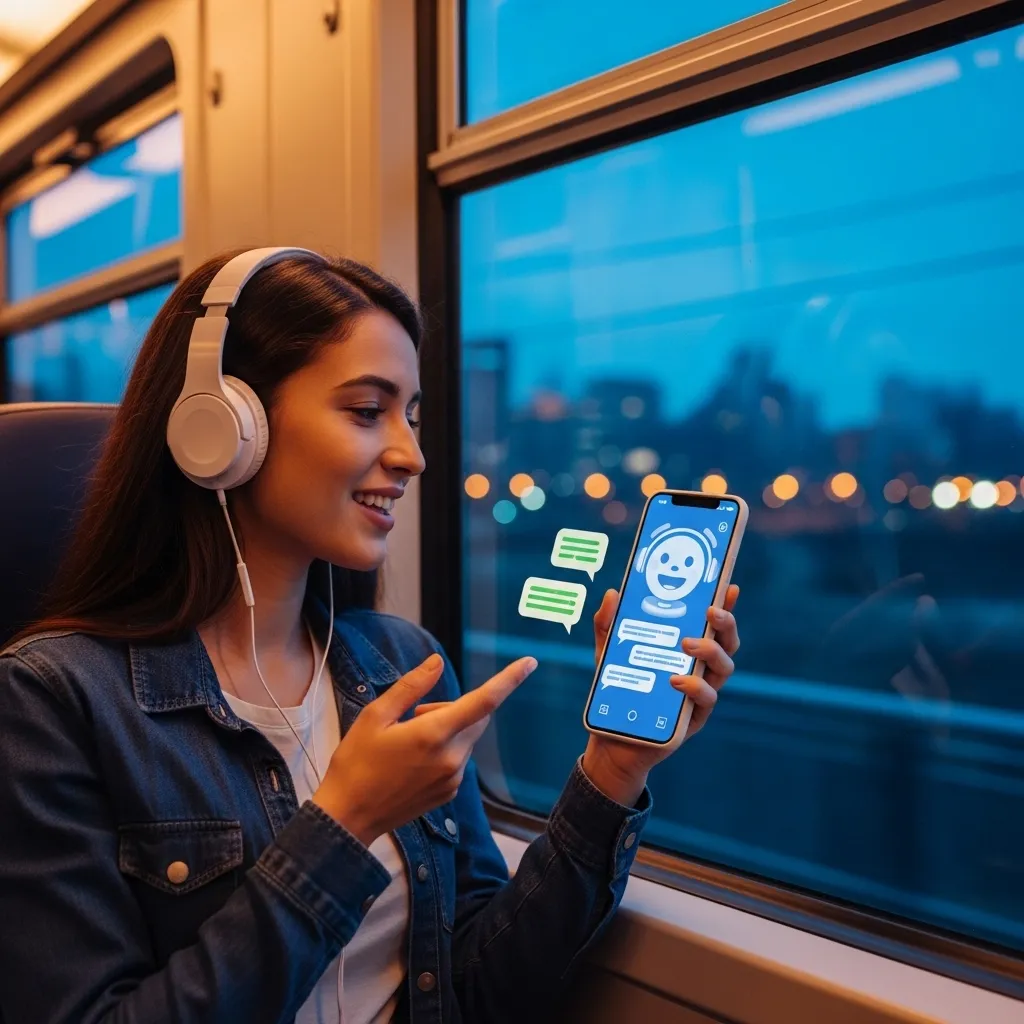
A Spanish student told me she’d have 15-minute conversations with ChatGPT entirely in Spanish during her commute. She’d ask it to correct her grammar and explain rules she didn’t understand. Her speaking confidence improved dramatically.
The limitation is that AI doesn’t perfectly replicate human conversation—there’s no cultural nuance, no genuine misunderstanding, no real-world pressure. It’s practice, not replacement for actual conversation with humans.

Organization and Productivity
Notion AI and Other Smart Note-Taking Systems
These tools help organize research, generate summaries, and manage projects. I’ve seen students manage complex research projects across multiple courses using Notion’s AI features to keep everything connected.
Motion and AI Scheduling Assistants
These apps analyze your workload and automatically schedule study time. They’re particularly helpful for students managing multiple deadlines who struggle with time management.
A student with a chaotic schedule—work-study job, varsity sports, full course load—used Motion to visualize when she actually had time to work on assignments. It reduced her stress significantly just by showing her it was possible to get everything done.
The Ethical Considerations Nobody Talks About Enough
Here’s where I need to be really honest. AI tools introduce ethical complexities that we’re still figuring out.
The Equity Problem
Most powerful AI tools aren’t free. ChatGPT Plus, Grammarly Premium, Notion AI—they all require subscriptions. This creates an advantage for students who can afford them. Some universities now provide AI tool access to all students, but that’s far from universal.
The Learning vs. Performance Trap
There’s a fundamental tension between using AI to learn and using AI to perform. A tool that helps you understand a concept supports learning. A tool that completes your assignment supports performance without learning.
I’ve watched students fall into this trap. Their grades improve, but they don’t actually learn the material. Then exam time comes, or they reach a more advanced class, and they’re lost.
Privacy and Data
When you upload your coursework to AI tools, where does that data go? Most major platforms have improved their privacy policies, but students should be aware that free tools often use your inputs as training data.
How to Use AI Tools Effectively (Lessons from Students Who Get It Right)
After observing hundreds of students, I’ve noticed patterns among those who use AI effectively:
1. They start with their own thinking. They don’t begin assignments by asking ChatGPT what to write. They brainstorm, outline, and draft first, then use AI to refine and improve.
2. They verify everything. They fact-check AI outputs, especially for research. They’ve learned that AI can confidently state complete nonsense.
3. They use AI to understand, not bypass, challenges. When they don’t understand something, they use AI to explain it, not to do it for them.
4. They’re transparent. When appropriate, they acknowledge using AI assistance, the same way you’d acknowledge a writing tutor’s help.
5. They know the limitations. They understand AI isn’t magic—it’s a tool with specific strengths and weaknesses.
Real Talk: When AI Doesn’t Help
Not every task benefits from AI assistance. Creative brainstorming, for instance, can be limited by AI’s tendency toward generic responses. Critical analysis often requires human judgment that AI can’t replicate.
I assigned students to analyze a controversial Supreme Court decision last year. Several used AI to help structure their arguments. The ones who relied too heavily on AI produced papers that hit all the technical points but lacked genuine insight. The best papers came from students who did their own thinking and used AI only for citation formatting and grammar checking.
Sometimes the struggle is the learning. If AI removes all friction from the learning process, you might not develop the resilience and problem-solving skills that matter more than any individual assignment.
Looking Ahead: What’s Coming
The AI landscape evolves monthly. Based on current trends and beta features I’ve been testing, here’s what’s emerging:
Personalized AI tutors that adapt to individual learning styles are becoming more sophisticated. They track what you know, identify gaps, and customize explanations.
Multimodal AI that can analyze images, videos, and text together is opening new possibilities for visual learners and fields like art history or architecture.
AI detection tools are getting better, but so are AI generators. This arms race seems less important as policies shift from detection to appropriate integration.
Collaborative AI that works with study groups, not just individuals, is starting to appear. Imagine an AI that facilitates group discussions rather than replacing them.

My Bottom Line After Three Years of Watching This Unfold
AI tools are powerful, useful, and here to stay. The students who thrive aren’t the ones who reject AI entirely or the ones who let it do their thinking for them. They’re the ones who thoughtfully integrate AI into a learning process that remains fundamentally their own.
I’ve made peace with the fact that students will use these tools. My job isn’t to prevent that—it’s to help them use AI in ways that enhance rather than replace learning.
The essay that student brought to my office hours three years ago? We had a long conversation about it. Turns out, she’d used AI to generate an outline and some initial ideas, then written the essay herself. She wasn’t trying to cheat; she just didn’t realize that wasn’t okay under our policies. We revised together, and she learned both better writing skills and how to use AI appropriately.
That’s the conversation we need to keep having—not “AI: yes or no?” but “AI: how and why?”
Frequently Asked Questions
1. Is it cheating to use AI tools for schoolwork?
It depends entirely on how you use them and your institution’s policies. Using AI for grammar checking, research assistance, or understanding concepts is generally acceptable—similar to using a spell-checker or search engine. Having AI write your essays, solve your problem sets, or complete assignments for you typically violates academic integrity policies. The key question is: are you doing the thinking and learning, or is the AI? When in doubt, check your syllabus or ask your instructor. Most professors are willing to clarify what’s appropriate for specific assignments.
2. Which AI tools are actually free for students in 2026?
Several quality AI tools remain free with some limitations: Bing Chat provides AI-powered search at no cost, ChatGPT has a free tier (though the paid version offers more capabilities), Grammarly offers basic grammar checking free, Wolfram Alpha has a free version for basic calculations, and many universities now provide institutional access to premium AI tools. Google’s NotebookLM is currently free. That said, free versions often have usage limits or fewer features. Some students find the free versions sufficient; others benefit from paid subscriptions. Consider what you genuinely need before paying for premium features.
3. How can I tell if AI-generated information is accurate?
Always verify AI outputs against reliable sources. For factual claims, check multiple authoritative sources—academic journals, established news organizations, official data. For academic research, look up the specific studies or papers the AI references; sometimes citations are hallucinated or misinterpreted. Use AI as a starting point, not an endpoint. I’ve found that AI is generally reliable for well-established information but can be confidently wrong about recent developments, niche topics, or anything requiring nuanced interpretation. Develop the habit of asking “how do I know this is true?” for anything important.
4. Will using AI tools prevent me from actually learning the material?
It can, if you’re not careful. The risk is real—I’ve seen students become dependent on AI and struggle when they can’t access it during exams or in situations requiring independent thinking. The solution is intentional use. Use AI to enhance understanding, not replace effort. Try problems yourself before asking AI for help. Write your own drafts before using AI to edit. Treat AI like training wheels: useful for learning, but eventually you need to develop the skill yourself. If you find you can’t complete tasks without AI assistance, that’s a red flag that you’re using it as a crutch rather than a learning aid.
5. What should I do if I suspect other students are using AI inappropriately and getting better grades?
This is frustrating, and I understand the concern. First, focus on your own learning and integrity—ultimately, you’re in school to develop knowledge and skills, not just earn grades. Students who use AI to cheat might get better grades short-term, but they’re not learning, which catches up with them. That said, if you feel AI misuse is widespread and creating an unfair environment, consider discussing it with your professor or academic integrity office. Many instructors are working to design assessments that reduce AI misuse while allowing appropriate use. You can also advocate for clearer AI policies. Remember that some students have legitimate accommodations or are using AI appropriately in ways you might not realize, so approach the situation with care rather than assumptions.






