
How to Use AI for Productivity: What Actually Works After Three Years of Daily Use
How to Use AI for Productivity: What Actually Works After Three Years of Daily Use
The first week I started using AI for productivity, I felt like I’d discovered a superpower. I was clearing my inbox faster, knocking out drafts in half the time, and organizing information like never before. By week three, I’d burned out trying to integrate AI into literally everything I did. Turns out, having an AI assistant doesn’t mean you should use it for every single task—some things are actually faster the old way.
That was back in mid-2023. Now, in 2026, AI is so embedded in my daily workflow that I barely think about it consciously. It’s become like autocorrect or spell-check—a tool that quietly makes me more effective without requiring constant attention. But getting to that point required a lot of trial and error, some embarrassing mistakes, and a complete recalibration of what “productivity” even means.
I track my time obsessively (probably to an unhealthy degree), so I can tell you with confidence that AI has given me back roughly 8-12 hours per week. That’s not an estimate or a guess—that’s measured time that I used to spend on tasks I now handle faster or better with AI assistance. Some weeks it’s more, some less, but averaged over the past year, it’s real and substantial.
Let me share what actually works, what’s a waste of time, and how to integrate AI into your productivity system without losing your mind or your humanity.
The Productivity Tasks Where AI Actually Delivers
I’m going to be ruthlessly practical here. Forget the hype about AI replacing your job or making you 10x more productive overnight. Here’s where I genuinely save time every single week.
Email Management: The Biggest Time Saver
I get probably 80-100 emails per day across work and personal accounts. Before AI, I spent 60-90 minutes daily just managing email. Now it’s more like 30-40 minutes, and I’m more responsive than I was before.
What I actually do:
For routine emails (meeting confirmations, simple questions, standard requests), I use AI to draft responses. I’ve created a simple system in my email client where I can highlight an email and hit a keyboard shortcut that feeds it to Claude or ChatGPT along with a brief instruction.
Example: Someone emails asking for my availability next week for a call. I type “draft response, offer Tuesday or Thursday afternoon, keep it warm and brief” and get back something like: “Thanks for reaching out! I’m available Tuesday or Thursday afternoon next week. Would either of those work for you? Happy to send a calendar invite once you let me know your preference.”
Takes me 5 seconds to type the instruction and another 10 seconds to review and send. The old way would’ve been maybe 60 seconds of composing. Doesn’t sound like much, but across 30-40 emails a day, that’s 15-20 minutes saved.
What I don’t use AI for:
Important, sensitive, or relationship-building emails still get the full human treatment. When I’m writing to a key client, addressing a complaint, or reaching out to someone I want to build a relationship with, I write it myself. AI drafts of these feel hollow and generic. People can tell.
The rule I follow: If this email actually matters, I write it. If it’s functional communication, AI can help.
Tools I use: I have ChatGPT Plus and Claude Pro, but honestly, I mostly use keyboard shortcuts that send emails to ChatGPT’s API through a simple script. Cost is negligible (a few dollars a month in API fees). There are also dedicated email AI tools like Superhuman or Shortwave, but I found them overpriced for what they do.
Meeting Management: Where AI Surprised Me
I was skeptical about AI for meetings. Seemed gimmicky. I was wrong.
Meeting prep: Before important meetings, I have a routine where I ask AI to pull together context. I’ll feed it information about who I’m meeting with, what we’re discussing, and any relevant background, then ask for a brief (5-bullet-point) prep summary.
Last week I had a call with a potential partner. I gave Claude: company name, their recent press releases, notes from our last conversation, and what I wanted to accomplish. Got back a concise summary of their current priorities, potential objections I should address, and conversation starters. Took 3 minutes. Would’ve taken me 20-30 minutes to research and synthesize manually.
Meeting notes and follow-up: This is the real game-changer. I use Fireflies.ai (though there are several good options now) that joins my video calls, transcribes everything, and generates summaries and action items.
After a meeting, I have:
- Full transcript (searchable)
- AI-generated summary of key points
- Extracted action items
- Ability to ask questions like “what did Sarah say about the timeline?”
I used to spend 10-15 minutes after meetings writing up notes and action items. Now I spend maybe 3 minutes reviewing the AI summary and making sure nothing important was missed.
The caveat: Always tell people when AI is recording and transcribing. Some people are uncomfortable with it, and that’s their right. I ask at the beginning of calls, and probably 1 in 20 people prefer I don’t record. That’s fine—I take manual notes instead.
Time saved: Roughly 30-45 minutes per week across all my meetings.
Information Synthesis: Making Sense of Everything
I read a lot for work—articles, reports, research papers, industry updates. I was drowning in information.
Now I use AI as a research assistant and synthesizer. Here’s my workflow:
For articles and papers: I’ll paste the full text into Claude (which handles longer documents better than ChatGPT in my experience) and ask for:
- Summary in 3-5 bullet points
- Key insights relevant to my work
- Important data or statistics
- Anything that contradicts what I already know
This turns a 30-minute read into a 5-minute skim of the summary, followed by deep-reading the sections that AI flagged as most relevant.
For research projects: When I’m trying to understand a new topic or industry, I’ll have a conversation with AI that goes something like:
Me: “Explain the current state of indoor vertical farming—key players, economic viability, main challenges, recent innovations.”
AI gives me the landscape in digestible form. Then I ask follow-up questions on specific areas. This gives me a foundation in maybe 20 minutes that would’ve taken hours of Googling and reading.
Critical verification step: I never use AI research as the final word. For anything important, I verify key claims through primary sources. AI occasionally hallucinates facts or gets details wrong. It’s an incredible starting point but a dangerous ending point.
Time saved: This is harder to quantify because I actually consume more information now than before—AI has made it feasible to stay on top of things I would’ve ignored previously. But for specific research tasks, I’d estimate 40-50% time savings.
Writing: The Complicated One
AI has transformed my writing process, but not in the straightforward way you might expect.
What doesn’t work: Asking AI to “write an article about X” and using what it gives you. I tried this. The output is universally mediocre—technically coherent but lacking voice, insight, or anything memorable.
What does work:
Overcoming blank page syndrome: When I’m stuck starting a piece, I’ll tell AI what I want to write about and ask for 5 different structural approaches. This usually unsticks me. I rarely use the suggestions directly, but they get my brain moving.
Expanding outlines: I’ll write a detailed outline including my key points, examples, and insights. Then I have AI expand it into paragraph form. What comes back is maybe 30% usable, but it’s better than a blank page.
Rewriting for clarity: When I’ve written something that feels clunky, I’ll ask AI to suggest clearer phrasing. Sometimes it helps, sometimes it makes things worse, but it gives me options.
Cutting word count: I’m verbose (as you’re witnessing). When I need to cut a piece down, AI is fantastic at suggesting what to trim while keeping the substance.
My actual writing workflow:
- Brainstorm and outline myself (30-40% of time)
- Write first draft myself, sometimes with AI expanding sections (40-50% of time)
- AI helps me revise, tighten, and polish (10-15% of time)
- Final human edit (10-15% of time)
For the kinds of writing I do (explanatory articles, business documents, reports), this saves me maybe 20-30% of total time while maintaining or improving quality.
Time saved: On a 2,000-word piece, I save maybe 30-45 minutes compared to my old process.
Task and Project Management: Hit or Miss
I’ve experimented extensively with AI for task management, and results have been mixed.
What works:
Breaking down large projects: When I have a big, fuzzy project, I’ll describe it to AI and ask for a breakdown into concrete tasks and subtasks. This gives me a starting point for planning.
Example: I needed to plan a product launch. I described the product, target audience, timeline, and resources. AI gave me a task breakdown across marketing, sales enablement, operations, and customer success. I modified it substantially, but having that framework saved me probably an hour of initial planning.
Prioritization assistance: When I’m overwhelmed, I’ll paste my task list into AI and ask “which of these should be priorities if my main goal is X?” It provides a perspective that helps me cut through the noise.
What doesn’t work:
AI as a task manager: I tried having AI manage my daily tasks, giving me reminders and reorganizing my schedule. Total failure. AI doesn’t understand context well enough—it can’t tell that this “15-minute task” is actually going to take an hour, or that I’m too fried to do deep work right now.
Automated scheduling: The AI scheduling assistants I’ve tried make dumb decisions about what goes where in my calendar. They don’t know that I’m useless for creative work after 4pm, or that back-to-back meetings destroy my productivity.
I use AI for planning and thinking through projects, but the actual task execution and scheduling I still do manually with my usual tools (Todoist and Google Calendar).
Time saved: Maybe 1-2 hours per week on project planning and task breakdown.
Personal Knowledge Management: The Dark Horse
This might be my favorite AI productivity use, though it’s less obvious than the others.
I have thousands of notes, articles, ideas, and documents scattered across various apps. Finding relevant information used to be a nightmare.
Now I use AI to:
Create better notes: After reading something or having an idea, I’ll have a quick AI conversation about it. This forces me to articulate what I learned and why it matters. The AI asks clarifying questions that make me think deeper. I then save this conversation as my “note,” which is way more useful than my old style of bullet-point capture.
Connect ideas: I’ll describe something I’m working on and ask AI: “What from my notes might be relevant to this?” I paste in selections from my knowledge base, and AI identifies connections I wouldn’t have made.
Retrieve information: Instead of searching through folders, I’ll ask conversational questions like “What did I read about customer retention strategies for SaaS businesses?” AI helps me locate and resurface relevant information.
Tools: I use Notion AI for this since my knowledge base lives in Notion, but you could do similar things with Obsidian plugins, Mem, or just using ChatGPT/Claude with copy-paste.
Time saved: Hard to measure, but finding information is probably 60-70% faster than my old keyword search approach. That’s maybe 30-45 minutes per week.
Learning New Skills: Accelerated Understanding
When I need to learn something new—a software tool, a concept, a framework—AI has become my first-stop teacher.
Instead of watching a 45-minute YouTube tutorial, I’ll have a conversation:
“Teach me the basics of [topic]. I’m fairly technical but have no background in this specifically. Use analogies to [something I know well].”
Then I ask follow-up questions on things I don’t understand. This interactive learning is way faster than passive consumption of tutorials or documentation.
Recent example: I needed to learn basic SQL for a project. I spent 90 minutes in conversation with Claude, asking questions, working through examples, and getting my specific questions answered. This got me to functional competence. A traditional online course would’ve been 8-10 hours.
Limitation: AI can teach you concepts and how things work, but it can’t give you the practice and experience of actually doing. Use AI to accelerate the learning curve, then practice the skill in the real world.
Time saved: Massive, but it varies by what I’m learning. 50-70% time reduction seems typical for getting to basic competence.

The AI Productivity Tools I Actually Use (2026)
The tool landscape has settled down considerably from the chaos of 2023-2024. Here’s my actual stack:
Core AI assistants:
- ChatGPT Plus ($20/month): My general-purpose assistant. Fast, reliable, good for quick tasks.
- Claude Pro ($20/month): Better for long documents and nuanced tasks. I use claude for writing help and complex analysis.
I go back and forth between them depending on the task. Some people swear by one or the other. I find value in both.
Specialized tools:
- Fireflies.ai ($10/month): Meeting transcription and notes. There are others (Otter.ai, Fathom), but this works well for me.
- Notion AI (included in my Notion subscription): For knowledge management within Notion.
- Grammarly ($12/month): Mostly for catching errors I miss, but the AI suggestions are increasingly useful.
Tried and abandoned:
- Motion (AI calendar/task manager): Too expensive ($34/month) for value provided. Made weird scheduling decisions.
- Otter.ai: Switched to Fireflies, which I prefer.
- Jasper/Copy.ai: General AI assistants (ChatGPT/Claude) are more flexible and better for my needs.
Total monthly spend: About $62/month on AI productivity tools. Given that I estimate I save 8-12 hours per week, that’s an insane ROI.
What Absolutely Doesn’t Work for Productivity
I’ve wasted time and money on AI productivity approaches that sounded great but failed in practice.
Complete automation: I tried setting up workflows where AI would automatically handle certain types of emails, calendar invites, or tasks without my input. Every single attempt led to embarrassing mistakes or weird outcomes. AI still needs human oversight for anything that matters.
AI decision-making: Asking AI “should I prioritize project A or B?” gets you generic advice that doesn’t account for context AI can’t see. Use AI to organize information for decisions, not to make the decisions.
Productivity for productivity’s sake: In my early AI enthusiasm, I optimized everything. I AI-assisted my grocery lists, my workout planning, my daily journaling. This was stupid. Some things don’t need to be optimized. The time I spent setting up AI workflows exceeded any time I saved.
Replacing thinking with AI: There’s a temptation to offload cognitive work to AI. “Just tell me what to do.” This makes you less capable over time, not more. AI should amplify your thinking, not replace it.
The productivity gains come from AI handling routine cognitive tasks (like drafting standard emails) so you can focus on work that actually requires your unique judgment and creativity.

How to Actually Integrate AI Into Your Workflow
Based on my experience and watching others try (and often fail) to adopt AI for productivity:
Start absurdly small
Don’t try to AI-ify your entire life in week one. Pick literally one task. For me, it was email drafting. I spent two weeks just getting good at that before expanding to other areas.
Once email felt natural, I added meeting transcription. Then information synthesis. Then writing assistance. Gradual expansion over months, not days.
Create simple systems, not complex workflows
My early mistake was building elaborate AI automation chains. “When I get an email with X in the subject line, AI will categorize it, draft a response, check my calendar, and suggest meeting times…”
These always broke. Too many dependencies, too much that could go wrong.
My current approach: Simple triggers and straightforward actions. “When I flag an email, send it to AI for a draft response.” That’s it. Simple systems are robust systems.
Build muscle memory through repetition
AI productivity tools only save time once you can use them without thinking. That requires repetition.
I forced myself to use AI for every routine email for two straight weeks, even when it would’ve been faster to just type the response myself. After that, it became automatic. Now I don’t consciously decide whether to use AI—my fingers just hit the keyboard shortcut.
Measure actual impact
I track time spent on major task categories (email, meetings, writing, research, etc.). This lets me see whether AI actually helps or just feels like it helps.
Some AI tools I tried felt productive but didn’t actually save time when I measured. The measurement keeps me honest.
Set boundaries
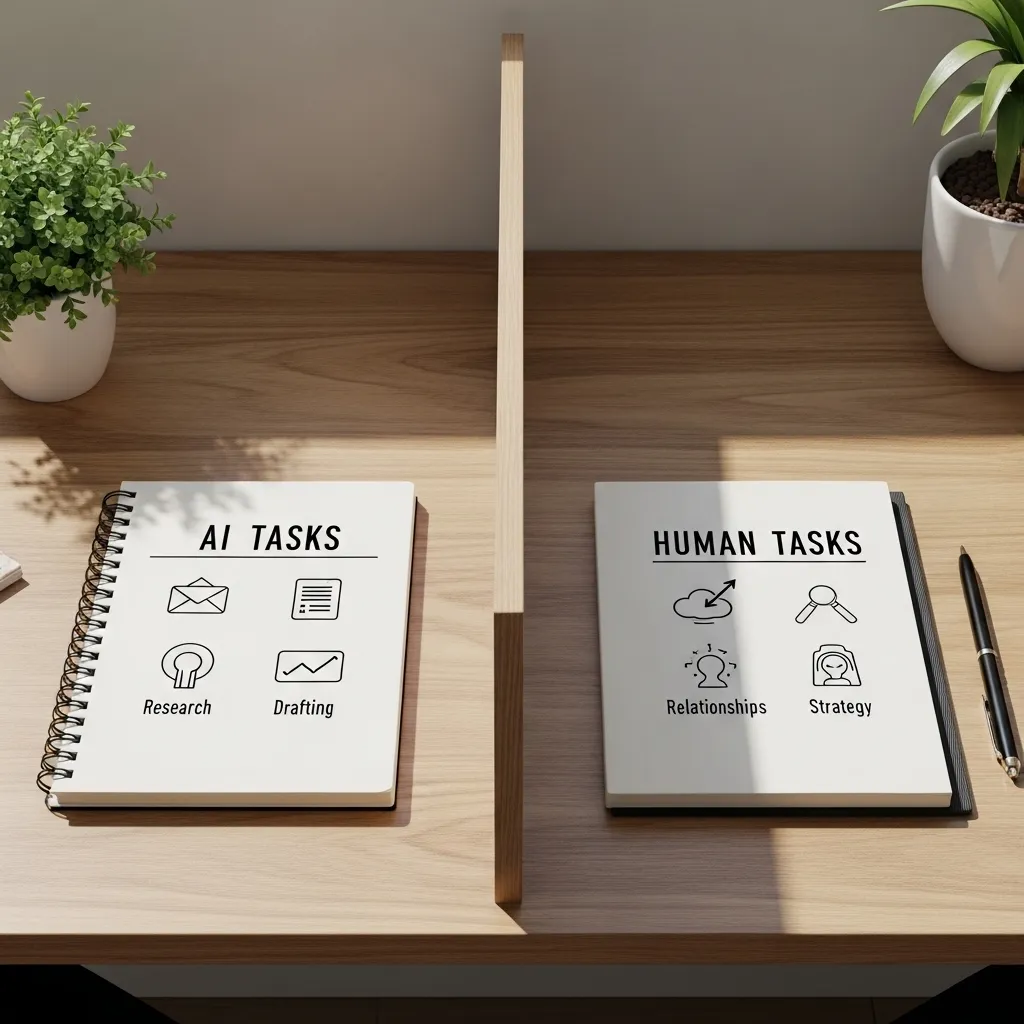
I have rules for what I will and won’t use AI for:
- Won’t: Personal messages to friends/family
- Won’t: Important relationship-building communication
- Won’t: Creative strategic thinking
- Will: Routine communication
- Will: Information processing and synthesis
- Will: First drafts that I substantially edit
Your boundaries will differ, but having them prevents the sense that AI is taking over your work and life.
The Productivity Paradox Nobody Talks About
Here’s something strange I’ve noticed: AI has made me more productive, but I’m not necessarily getting more done.
I save 8-12 hours per week with AI assistance. But I haven’t increased my output by 8-12 hours worth of work. Instead, I’m spending that recovered time on:
- Deeper thinking about strategic questions
- More thorough research
- Better quality output on fewer things
- Actually taking breaks instead of powering through
- Learning new skills
Turns out, relentless productivity optimization was never the real goal. The goal was having time and mental energy for what actually matters.
AI hasn’t made me a productivity machine. It’s made me a more thoughtful worker with better work-life balance.
This is worth considering before you dive into AI productivity tools. What will you do with the time you save? If the answer is “just cram in more work,” you might want to reconsider your approach.
The Attention Cost of Context Switching
One downside I didn’t anticipate: constantly switching between human work and AI assistance creates cognitive overhead.
When I’m writing and I stop to ask AI for help with a paragraph, then come back to writing, I’ve broken my flow. Sometimes the interruption costs more than the time AI saved.
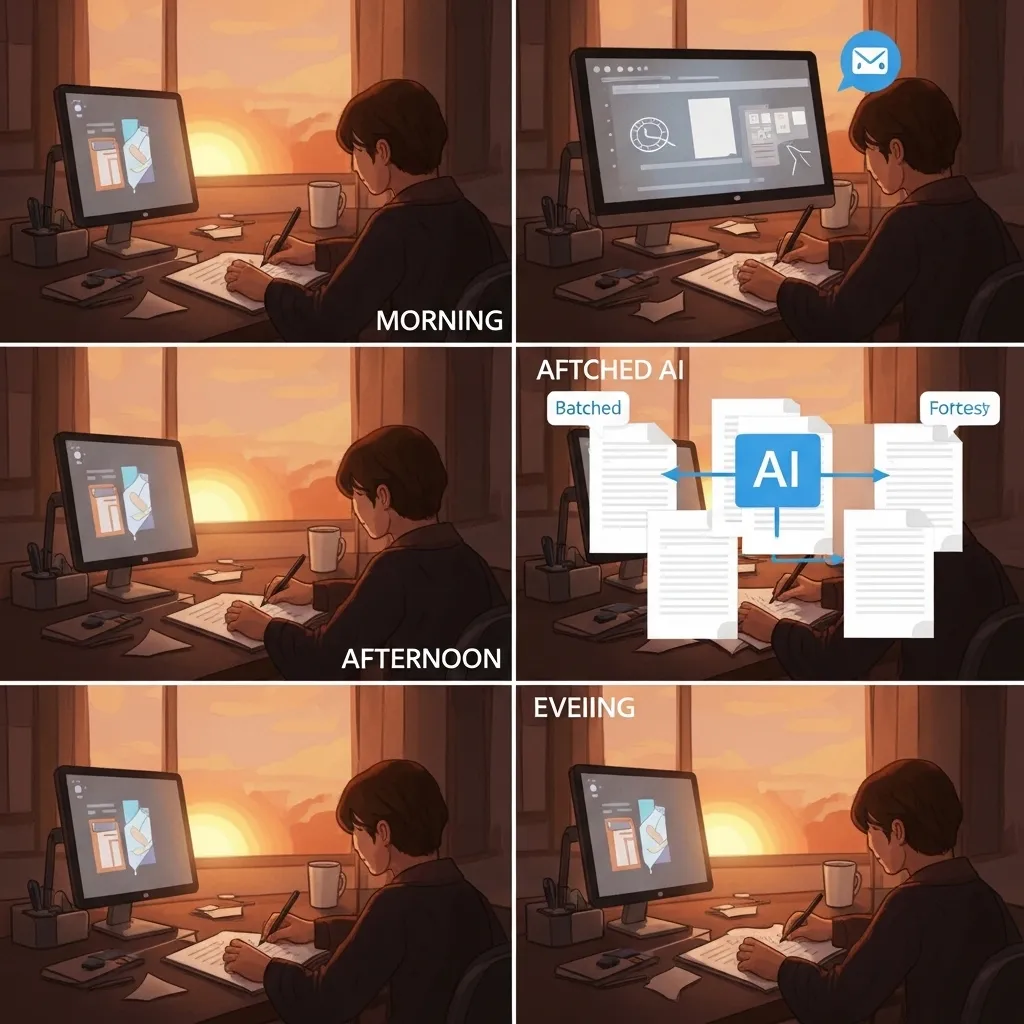
I’ve learned to batch AI interactions when possible. Instead of AI-assisting one email at a time, I’ll flag 10 emails and process them all at once with AI help. Instead of asking AI to improve each paragraph as I write, I’ll draft the whole thing and then have AI help with revision.
Minimizing context switches preserves deep focus, which is often more valuable than marginal time savings.
AI and the Erosion of Skills
I’m deliberately cautious about this: if I always use AI to draft emails, do I lose the skill of clear written communication?
My approach is to rotate. Some days I write everything manually, no AI assistance, just to keep the skill sharp. I’ll occasionally take on a writing project that’s AI-off-limits, forcing myself to do it the old way.
I think of it like using GPS navigation. It’s incredibly useful, but if you use it exclusively, you lose your sense of direction and spatial awareness. Sometimes I navigate manually just to keep that skill alive.
The same applies to AI productivity tools. Use them heavily, but occasionally unplug and work the old way to maintain baseline capabilities.

Looking Ahead: AI Productivity in 2026-2027
The trajectory I’m seeing suggests AI productivity tools will become:
More embedded: Less “go to AI tool and ask for help,” more “AI suggestions appear automatically in your existing tools.” This is already happening—Google Docs, Microsoft Office, Slack, and others have AI built in. The next year will see this accelerate.
More personalized: AI that learns your working style, preferences, and patterns to give better assistance. Early versions of this exist but are still crude. Improvement here could be significant.
Voice-first: I’m already experimenting with voice interactions. Instead of typing prompts, I just talk to AI while walking or driving. The friction is even lower. This feels like a major direction.
Better at context: Current AI assistants have limited memory of our previous interactions. As this improves, they’ll give more relevant assistance without needing constant re-explanation.
More specialized: Instead of general assistants, we’ll see AI specifically designed for writing, research, project management, etc., with deeper capabilities in each domain.
The next productivity leap will probably come from AI that anticipates needs before you ask. “You have a meeting with Client X in 30 minutes—here’s context from your last conversation and suggested talking points.” We’re not quite there yet, but we’re close.
A Realistic Assessment: Is AI Worth It for Productivity?
After three years of intensive use, my honest answer: absolutely yes, but with caveats.
AI is worth it if:
- You spend significant time on routine cognitive tasks
- You’re willing to invest time upfront learning the tools
- You can clearly identify where you’re wasting time
- You’re interested in amplifying your capabilities, not replacing your judgment
AI probably isn’t worth it if:
- Your work is highly physical or hands-on
- You’re in a highly regulated field where AI use is restricted
- Your time bottleneck is meetings/collaboration, not individual tasks
- You’re looking for a magic solution rather than a tool that requires skill
For me, someone doing knowledge work with lots of writing, research, communication, and information processing, AI has been transformative. My work is better, I’m less stressed, and I have more time for strategic thinking.
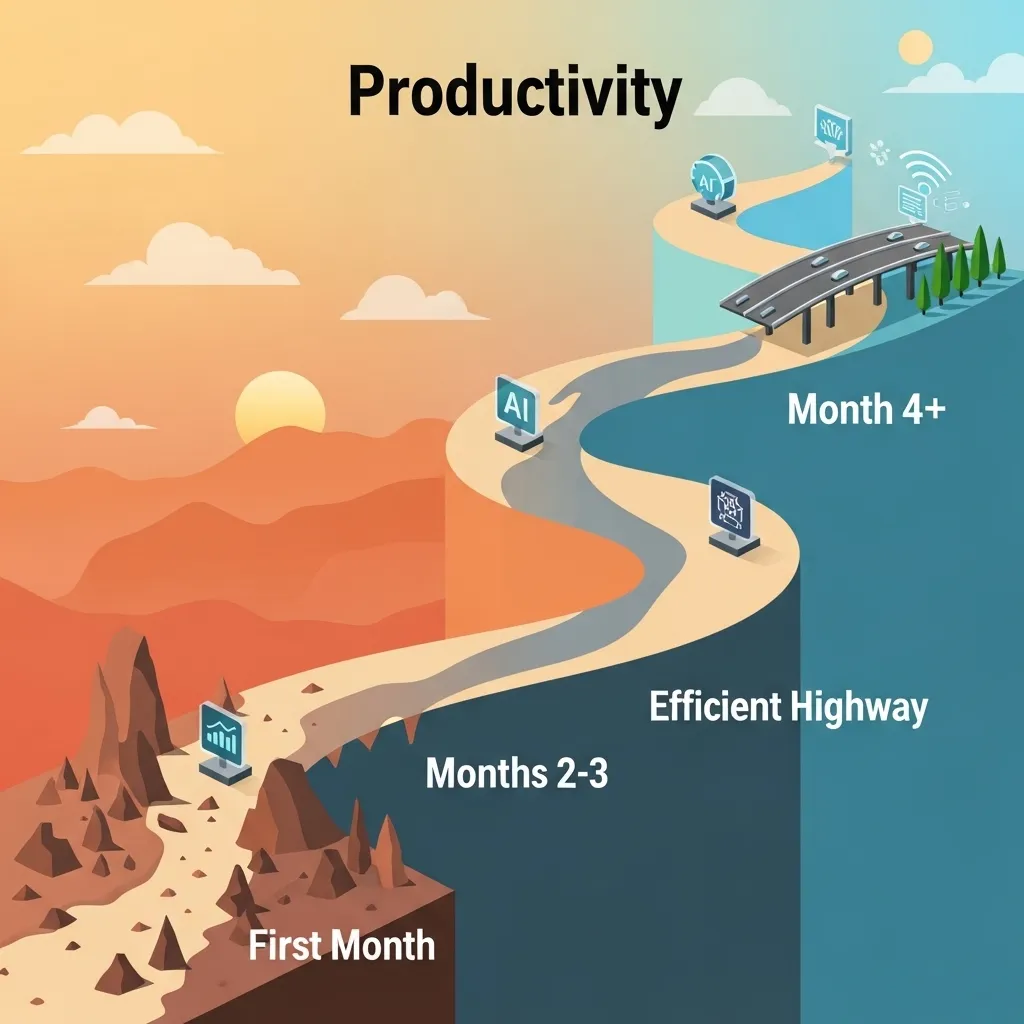
But it required months to get here. The first month was probably net negative—I spent more time messing with AI tools than I saved. Real productivity gains emerged gradually over 3-6 months as I figured out what worked.
Getting Started: My Recommendation
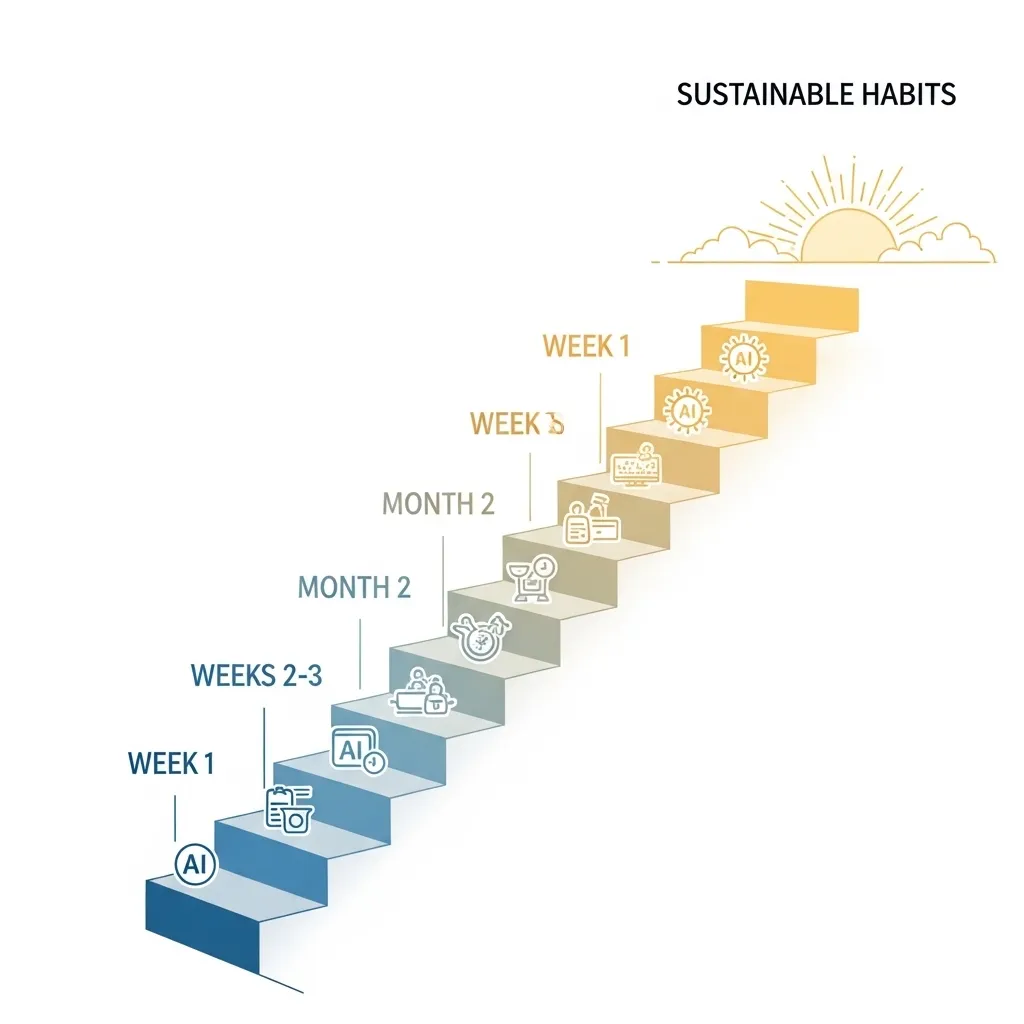
If I were starting fresh today, here’s exactly what I’d do:
Week 1:
- Get ChatGPT Plus or Claude Pro (pick one, doesn’t matter which)
- Use it only for email drafting
- Track how much time you spend on email before and after
Week 2-3:
- Continue email practice
- Add one more use case (probably meeting notes or research)
- Keep tracking time
Week 4-6:
- Add writing assistance or information synthesis
- Start developing personal shortcuts and systems
- Evaluate what’s actually saving time versus what just feels productive
Week 7-12:
- Expand to other areas based on your specific needs
- Consider specialized tools if general AI doesn’t meet specific needs
- Refine your systems based on what’s working
Month 4+:
- AI should start feeling natural rather than forced
- Measure actual productivity impact
- Adjust boundaries and use cases
This gradual approach prevents overwhelm and helps you build sustainable habits rather than brief enthusiasm followed by abandonment.
The Bottom Line
AI for productivity isn’t magic, but it’s not hype either. It’s a genuinely useful set of capabilities that, used thoughtfully, can give you back meaningful time and mental energy.
The key insights from my three years of use:
- Start small and expand gradually
- Use AI for routine cognitive tasks, not judgment or creativity
- Simple systems beat complex automation
- Measure actual impact, not perceived productivity
- Set boundaries about what AI should and shouldn’t handle
- Think about what you’ll do with saved time
I save 8-12 hours per week with AI assistance. That’s real, measured, and consistent. But the value isn’t just the time—it’s that I’m now spending my hours on work that actually requires human judgment and creativity.
AI handles the grunt work. I handle everything else. That division of labor makes me more effective and less burned out.
If you’re doing knowledge work in 2026 and not experimenting with AI for productivity, you’re working harder than necessary. But if you’re expecting AI to solve all your productivity problems without effort on your part, you’re going to be disappointed.
It’s a tool. A powerful one. But still a tool that requires skill, judgment, and intention to use well.
Start experimenting today. Track what works. Adjust based on results. Six months from now, you’ll wonder how you ever worked without it.
Frequently Asked Questions
1. Which AI productivity tool should I start with—ChatGPT, Claude, or something else?
Honestly, for beginners, the difference between ChatGPT and Claude matters less than people think. Both are excellent general-purpose AI assistants that can handle the core productivity tasks: email drafting, meeting summaries, research assistance, writing help. I personally use both—ChatGPT for quick tasks and Claude for longer documents—but if you’re just starting, pick either one and stick with it for at least a month before exploring alternatives. The paid versions (ChatGPT Plus at $20/month or Claude Pro at $20/month) are worth it if you’re using AI regularly, but you can start with free versions to experiment. Don’t get caught up in tool comparison paralysis. The productivity gains come from learning to use AI effectively, not from choosing the “perfect” tool. Start with whichever one you try first and like the interface of. You can always switch later.
2. How much time should I realistically expect to save using AI for productivity?
Set your expectations conservatively. In your first month, you’ll probably save zero time—maybe even lose time—as you learn the tools and figure out what works. That’s normal. By months 2-3, if you’re using AI consistently for routine tasks, expect to save maybe 3-5 hours per week. By month 6, if you’ve really integrated it into your workflow, 6-10 hours per week is realistic for knowledge workers who do lots of writing, communication, and research. I save 8-12 hours per week now, but I use AI extensively and have spent three years optimizing my approach. The actual time savings depend heavily on what kind of work you do. If you’re spending hours per week on email, meeting notes, research, and writing, the potential is significant. If your job is mostly meetings, phone calls, and hands-on work, the gains will be more modest. Track your time before and after to measure actual impact rather than relying on feelings.
3. Will using AI for productivity make me lazier or less skilled at my work?
This is a legitimate concern, and the answer is: it can, if you let it. If you use AI as a replacement for thinking rather than a tool for amplifying your thinking, yes, your skills will atrophy. I’ve noticed that when I rely too heavily on AI for email drafting, my own writing can get sloppier. My approach is to periodically work “AI-free” to keep my baseline skills sharp—maybe one day a week where I write everything manually, or taking on projects where I deliberately don’t use AI assistance. Think of it like using a calculator: incredibly useful for complex calculations, but you still need to understand math. Use AI to handle routine cognitive tasks so you can focus on work that genuinely requires expertise and judgment. The people who get in trouble are those who outsource their actual thinking to AI. Use it for execution and efficiency, not for the cognitive work that builds your expertise.
4. How do I know which tasks to use AI for versus doing manually?
I use a simple framework: AI for routine, AI-off for important. Specifically, I use AI for tasks that are repetitive, time-consuming but low-stakes, and don’t require nuanced judgment or relationship building. Examples: drafting routine emails, summarizing articles, generating first drafts, extracting information from documents, organizing notes. I don’t use AI for: important client communication, creative strategy, sensitive HR matters, personal relationship building, or decisions that require context AI doesn’t have. Another useful test: if I’d be embarrassed for someone to know AI helped, I probably shouldn’t use it for that task. Or ask yourself: “Does this task benefit from my unique knowledge and judgment, or is it basically information processing?” If the latter, AI can probably help. If the former, keep it human. Over time, you’ll develop intuition for this. Start by using AI only for obvious, low-risk tasks and expand gradually as you get comfortable.
5. What are the privacy and security risks of using AI for work tasks, and how do I protect sensitive information?
This is critical and often overlooked. Never put confidential information, customer data, proprietary information, or personally identifiable information into consumer AI tools like the free versions of ChatGPT or Claude. These conversations may be reviewed by humans for quality control and used to train future models. For work use, invest in the business/enterprise versions that have stronger privacy protections and data handling agreements—ChatGPT Enterprise, Claude for Business, etc. These typically guarantee that your data won’t be used for training and offer better security. Even then, establish clear guidelines about what can and cannot be shared with AI. At my company, we don’t allow employee names, customer information, financial data, or unreleased product details in AI tools. We also avoid using AI for anything covered by attorney-client privilege or other legal protections. Check your industry’s compliance requirements—healthcare, finance, and legal services have specific regulations that may limit AI use. When in doubt, anonymize information before feeding it to AI, or just handle it manually. The productivity gain isn’t worth a data breach or compliance violation.






